Pay out balance / withdraw money
Withdrawing your balance / Withdrawing money
This article describes how to withdraw money from your personal Eponet account. You can find this function under Settings > Finances, where you can also view your balance and all your account transactions.
If you would like to withdraw money, go to the Transactions tab.
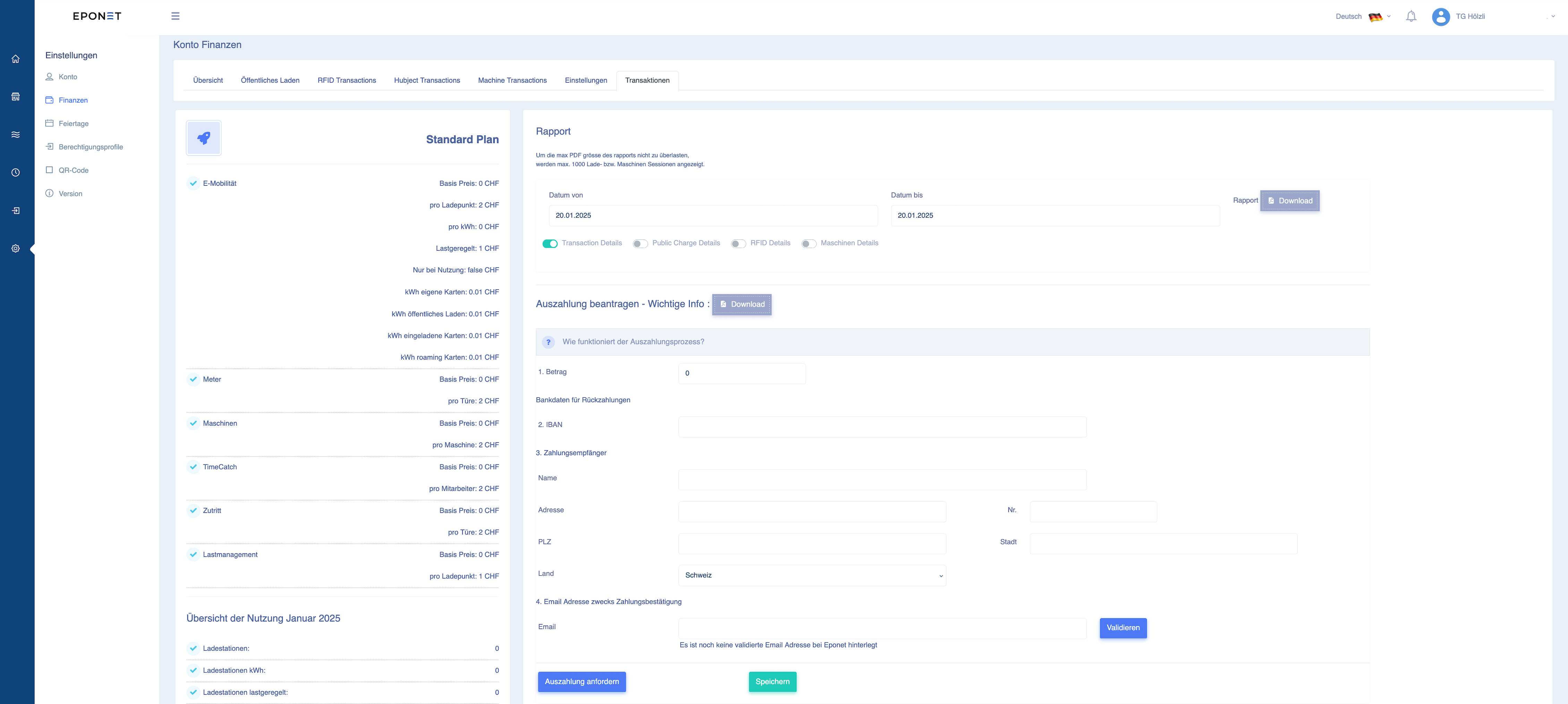
The withdrawal process is described in the section "Request withdrawal – important information":
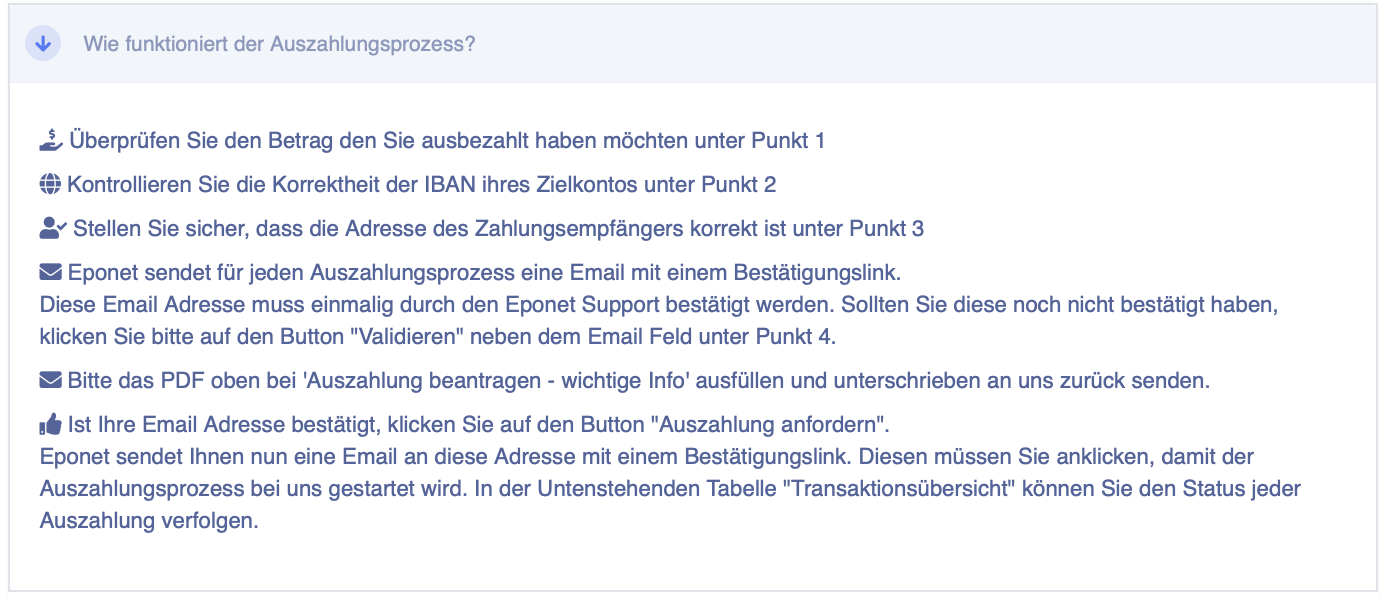
Important: For security reasons, your email address must be validated once. If the account email address is identical to the email address to be validated, we will validate it within 1-2 working days and you can make the withdrawal. You can find an explanation of the validation process here.
For companies, administrations and private individuals who wish to make the withdrawal on behalf of someone else, the following form must be completed, signed and returned to us!
Company form: https://eponet.info/epowiki/avm.pdf
Administration/STWE form: https://eponet.info/epowiki/avm-stweg.pdf
Private form: https://eponet.info/epowiki/avm-privat.pdf
Tip:
When you request a payment, you will receive an email with a confirmation link for security purposes. Don't forget to confirm the payment!
Have you forgotten the confirmation link and it no longer works? At the bottom of the Transaction page, if you click on your order in the transaction overview table, you can click on the "grey thumb" icon and resend the email with the confirmation link:

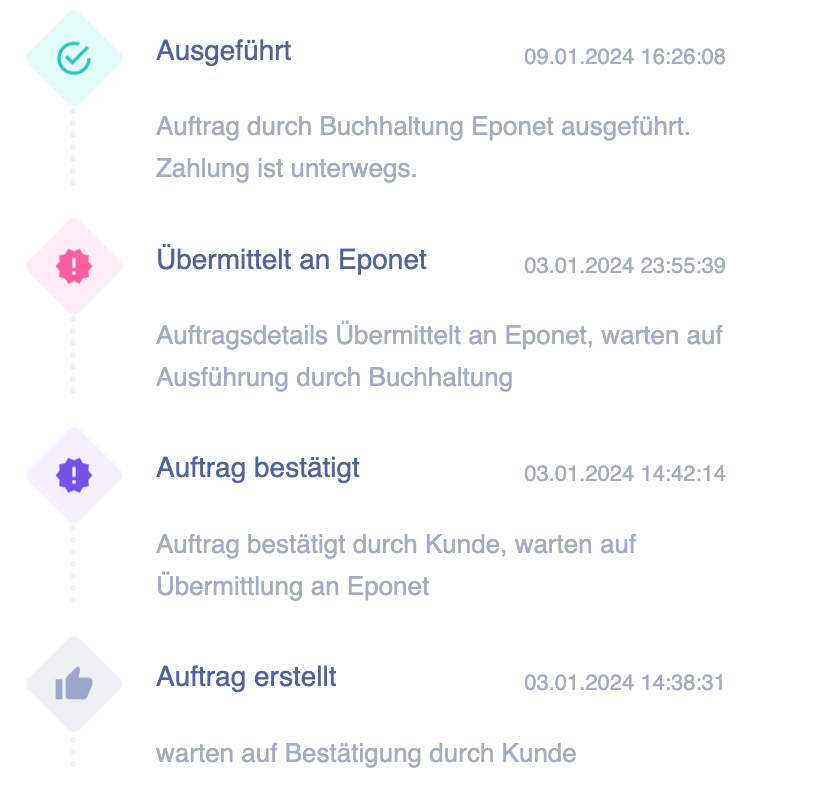
Track the status of the payout process
You can track the status of the payout process at any time.
After you have clicked on the confirmation link in the email sent to your validated email address, you will see "Order confirmed". The payout process is now complete on your side and the order will be sent to us shortly before midnight and paid out to the specified bank account within a few working days: