
RFID-Karten Verwaltung - Maschinen
Die RFID Karten kann man an verschiedenen Stellen verwalten.
Auf der Startseite bei der RFID-Karten Übersicht, unter E-Mobilität oder unter Maschinen.
Dieses Kapitel beschreibt die Funktion bei der Maschinen-Steuerung.
Hier sehen Sie die RFID-Karte(n) auf diesem Konto im Zusammenhang mit Maschinen.
Eine RFID-Karte kann je nach Konfiguration verschiedene Funktionen haben. Zum Beispiel zur Ladefreigabe an Ladestationen, zum starten einer Maschine (Waschmaschine, Tumbler, etc.) oder zur Zutrittskontrolle (Öffnen von Türen).
RFID-Karten einladen
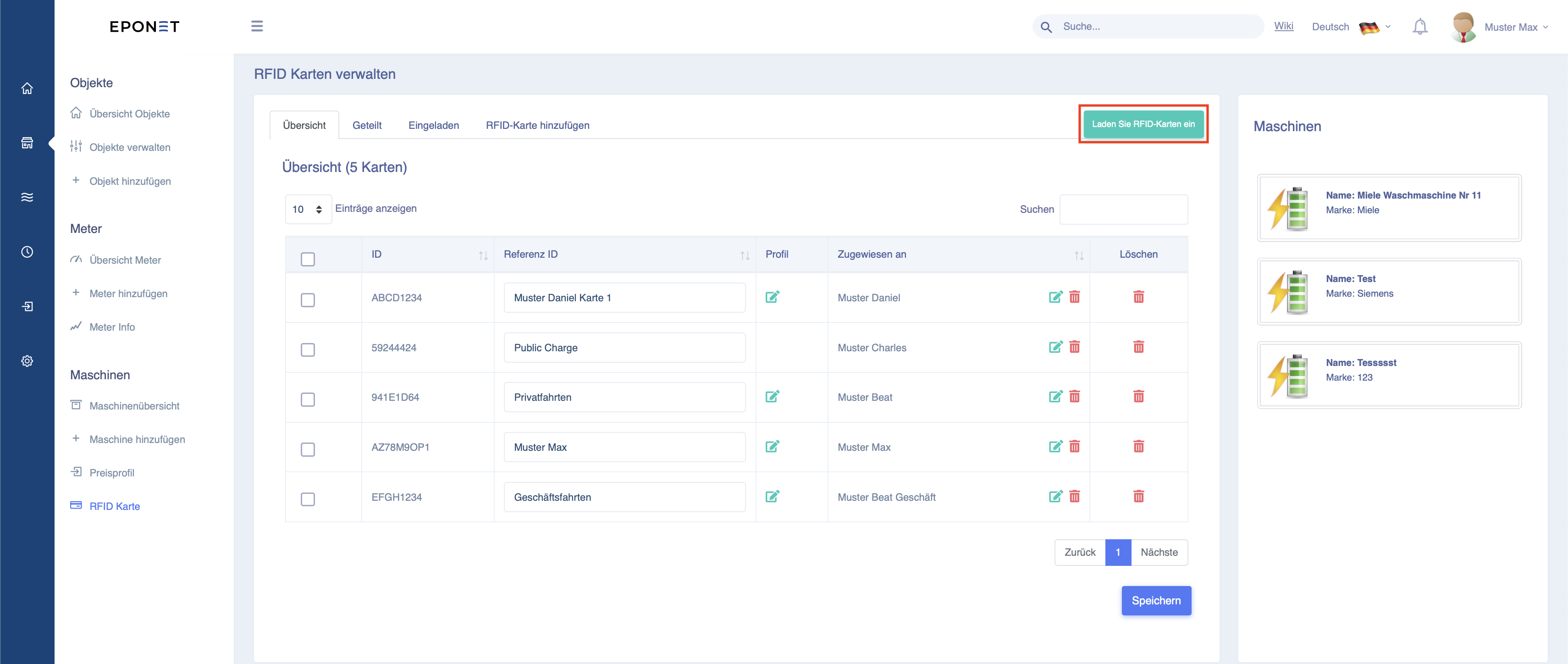
Wollen Sie eine RFID-Karte einladen, welche von einem Mieter auf dessen Konto hinzugefügt wurde können Sie dies über den Button "Laden Sie eine RFID-Karte ein" machen. Klicken Sie auf den Button (unten rot markiert) und es öffnet sich ein neues Fenster.
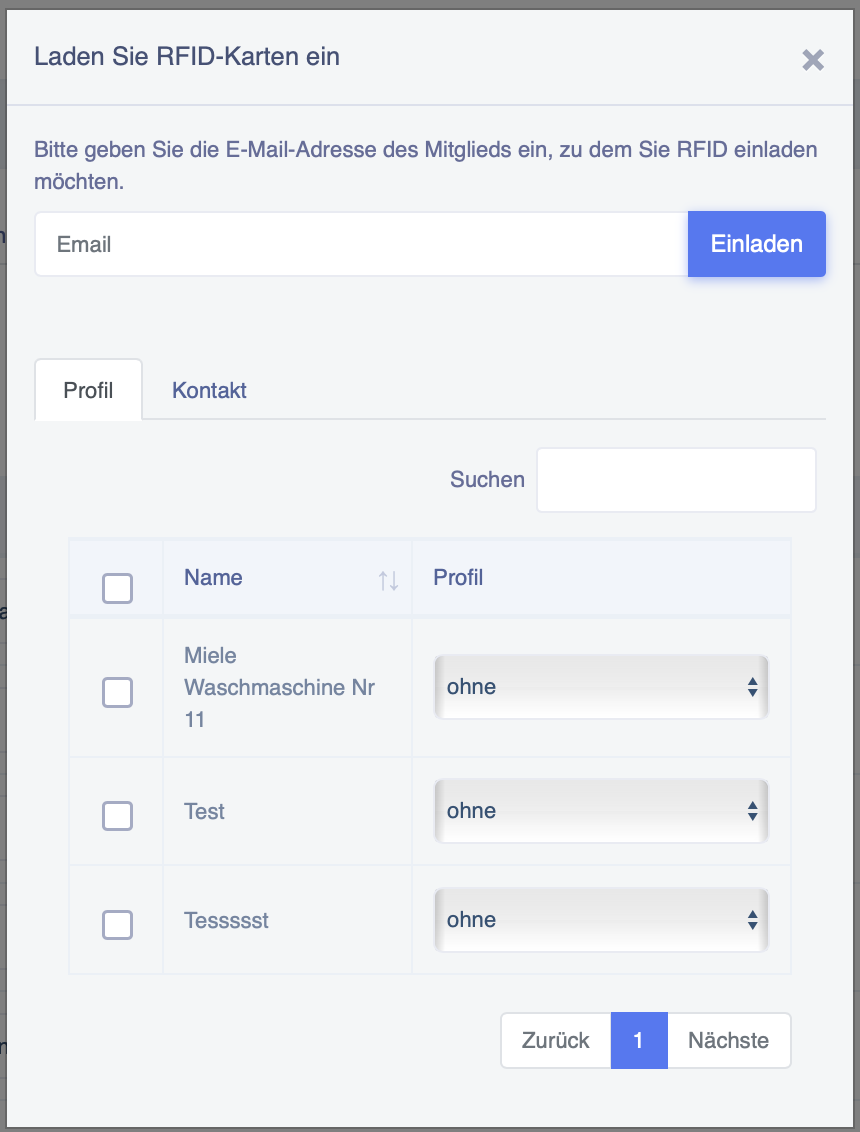
Geben Sie hier nun die Email Adresse des Mieters ein und haken Sie die Geräte an, mit welchen der Mieter zum Beispiel waschen darf. Zudem müssen Sie das entsprechende Profil auswählen, damit eine Verrechnung passiert.
Klicken Sie im Anschluss auf "Einladen".
Nach dem Einladen bekommt der Mieter eine Benachrichtigung und kann seine RFID-Karte teilen. Im Anschluss kann die Maschine benutzt werden.
RFID-Karten hinzufügen
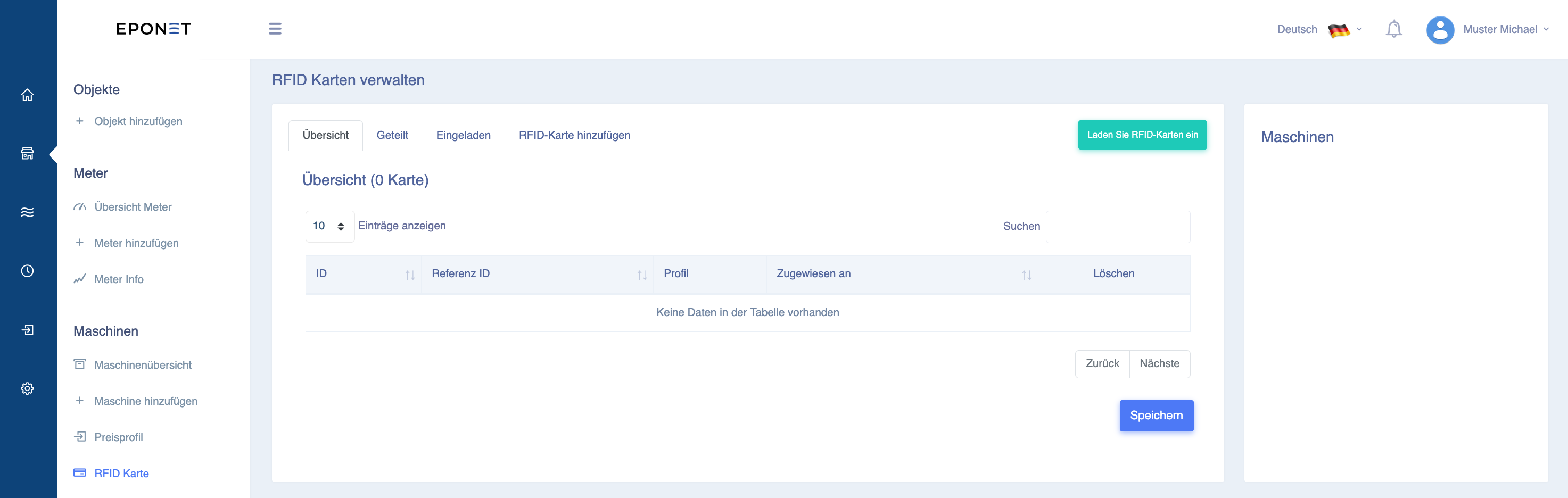
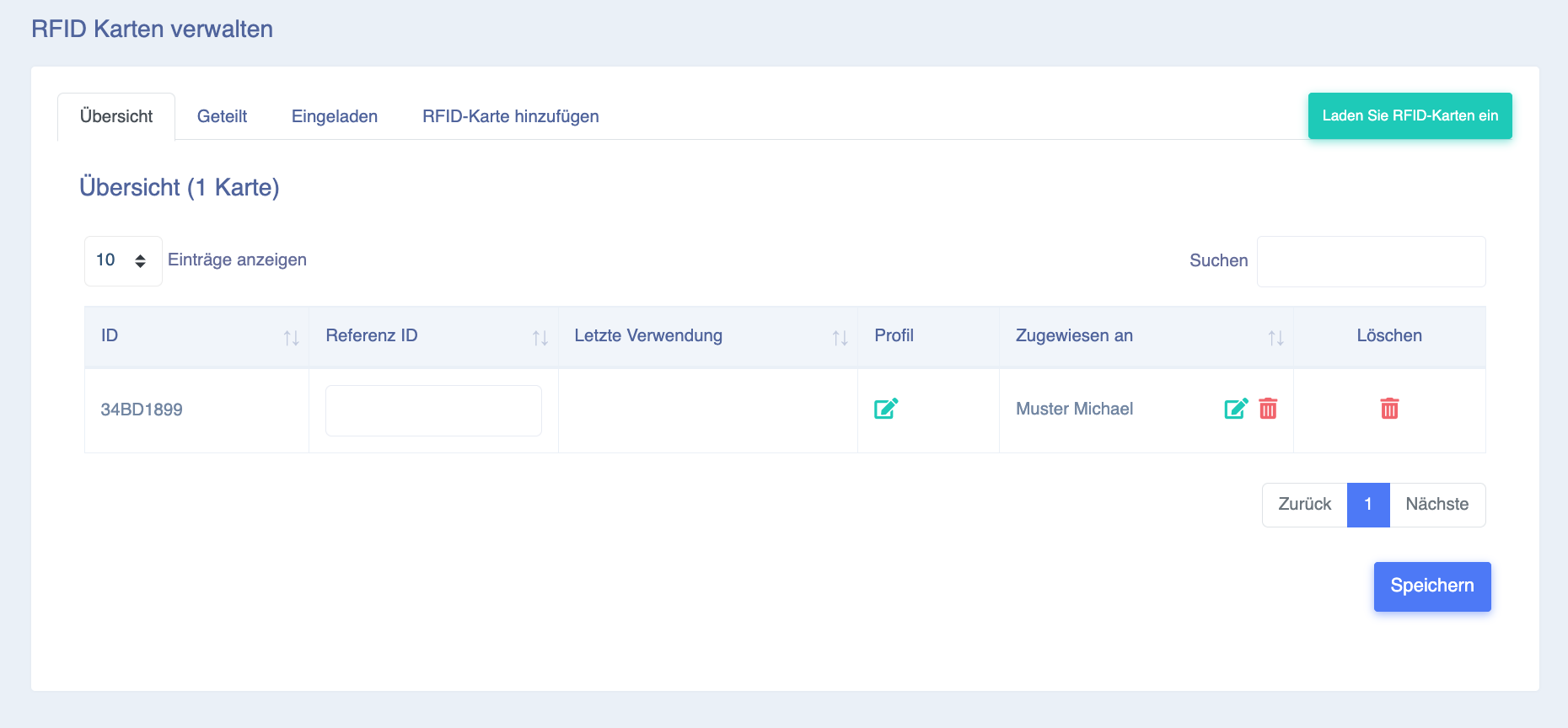
Hier sehen Sie die 4 Reiter: Übersicht, Geteilt, Eingeladen und RFID-Karte hinzufügen.
Bei RFID-Karte hinzufügen können Sie Ihre Karte erfassen: Geben Sie die Nummer ein, welche auf Ihrer Eponet RFID-Karte steht und bestätigen Sie mit "Karte hinzufügen":
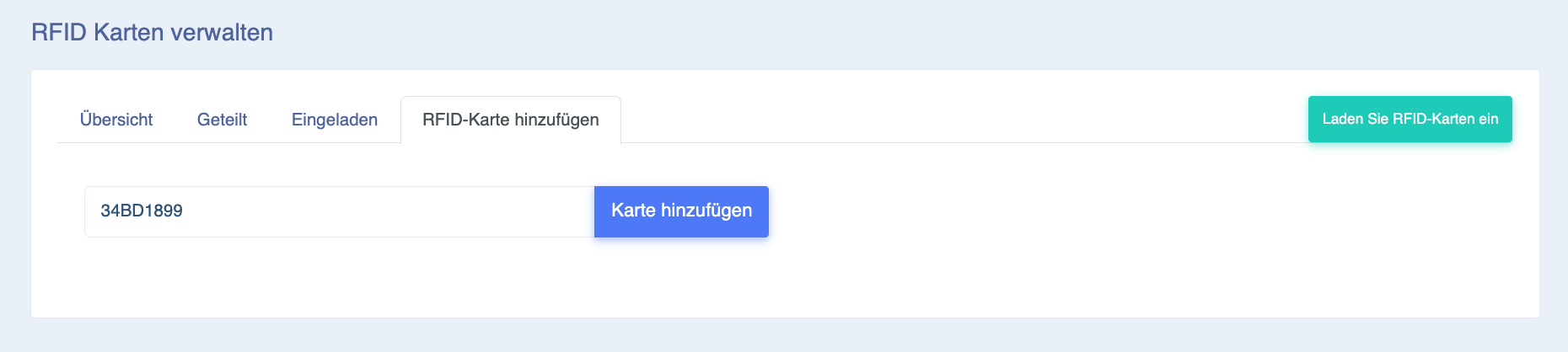
RFID Nummern werden bei Eponet ohne Abstände und ohne Doppelpunkte erfasst. Haben Sie auf Ihrer RFID Karte eine Nummer wie z.B. 12:34:56:78 aufgedruckt, muss diese ohne Abstände und Punkte eingegeben werden, also 12345678
Die Karte erscheint danach in der Tabelle (beim Reiter Übersicht). Beim Feld Referenz ID können Sie für Ihre Information eigene Details abspeichern (z.B. Namen eines Familienmitgliedes). Mit Löschen kann eine Karte auch wieder entfernt werden.
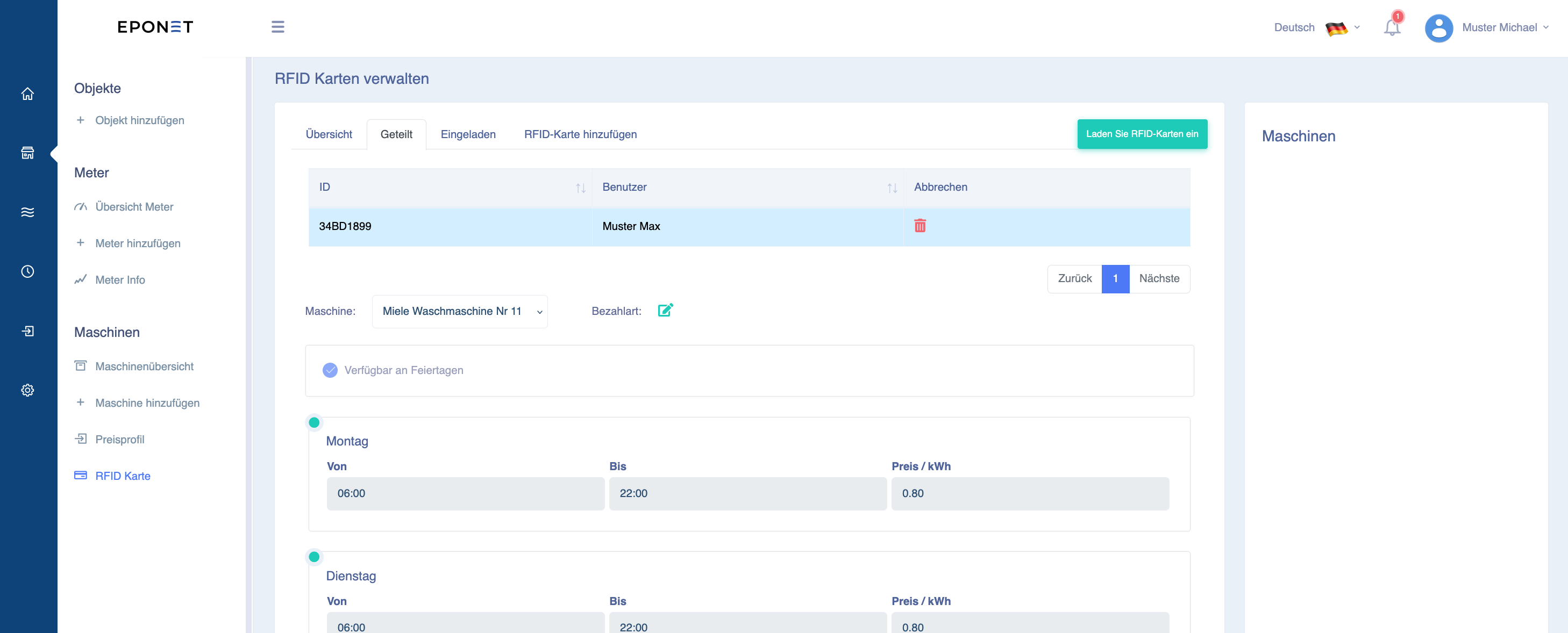
Reiter "Geteilt"
Unter dem Reiter geteilt, sehen Sie als Benutzer, wo Sie Ihre RFID-Karte(n) geteilt haben, bzw. wo und zu welchem Preis Sie mit einer RFID-Karte eine Maschine starten können. Klicken Sie hier auf Ihre RFID-Karte und Sie sehen hier an diesem Beispiel, dass diese RFID-Karte auf der "Miele Waschmaschine Nr. 11" waschen darf (und zu welchem Preis):
Unter "Geteilt" noch keine Maschinen und Preise sichtbar? Sie müssen vom Betreiber hierzu zuerst eingeladen werden. Wenden Sie sich hierzu an den Betreiber und geben Sie ihm die E-Mail Adresse Ihres Kontos an, damit er Sie einladen kann.
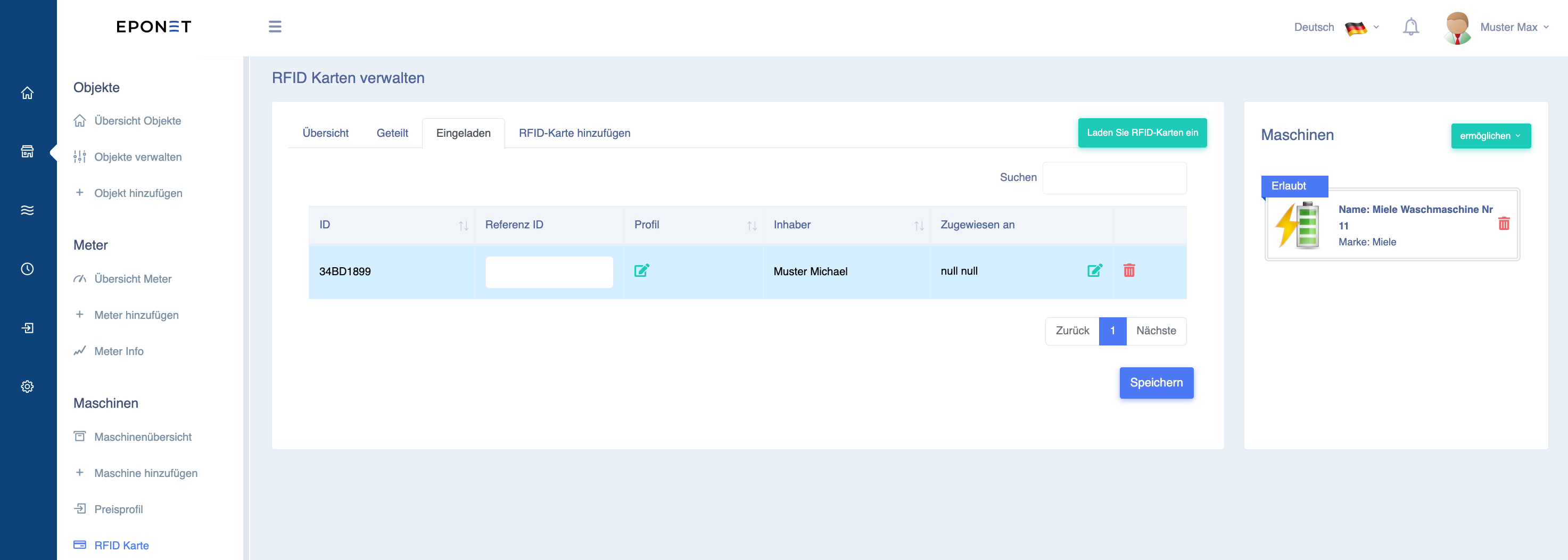
Reiter "Eingeladen"
Unter dem Reiter Eingeladen, sehen Sie als Betreiber einer Infrastruktur, wer bei Ihnen auf welcher Maschine zu welchem Preis eingeladen ist. Klicken Sie hier auf Ihre RFID-Karte und Sie sehen hier an diesem Beispiel, dass diese RFID-Karte auf der "Miele Waschmaschine Nr. 11" waschen darf (Der Preis kann unter Profil zugewiesen oder geändert werden):
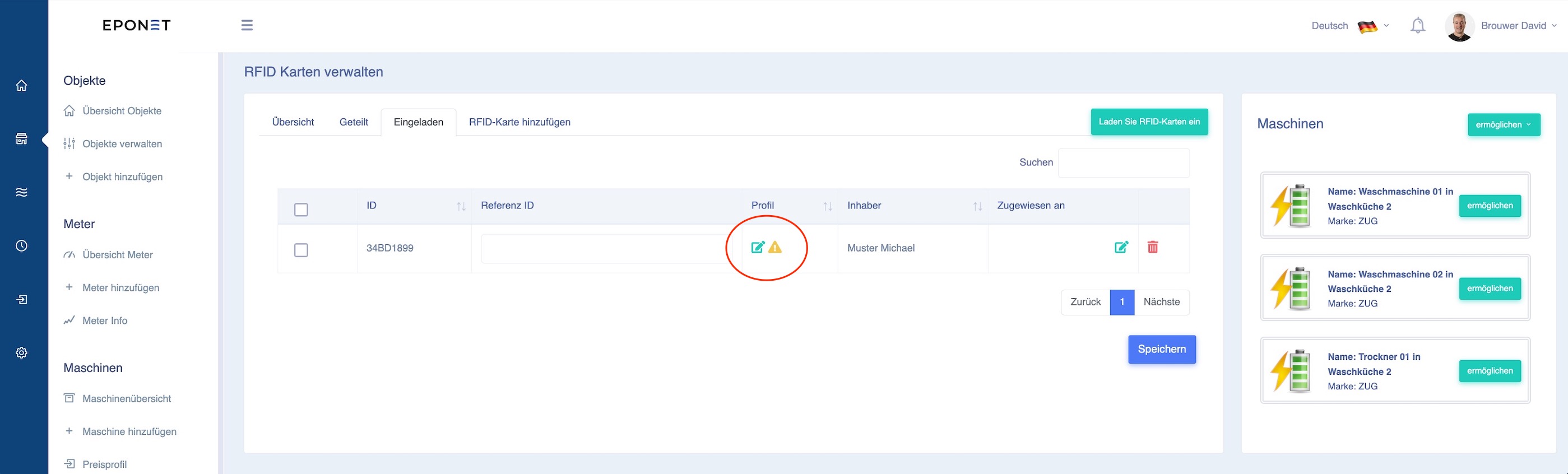
Erscheint hier bei "Eingeladen" bei einer RFID-Karte ein Ausrufe-Icon - bedeutet dies, dass der Benutzer ohne ein Preis-Profil eingeladen worden ist und somit kostenfrei die Maschine benutzen kann.
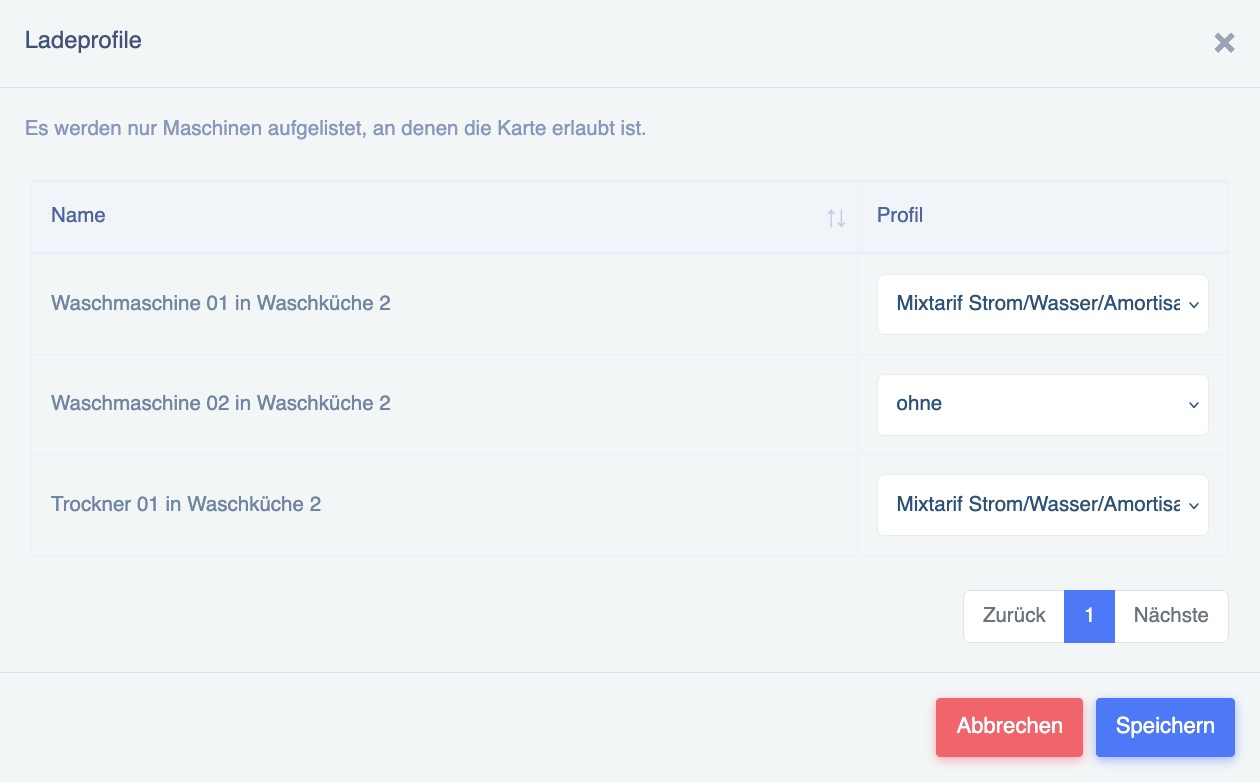
Mit dem grünen Editier-Icon können die Preise kontrolliert oder zugeordnet werden. Es geht ein Fenster auf, hier in diesem Beispiel sieht man, dass bei der zweiten Maschine kein Preis zugeordnet ist:
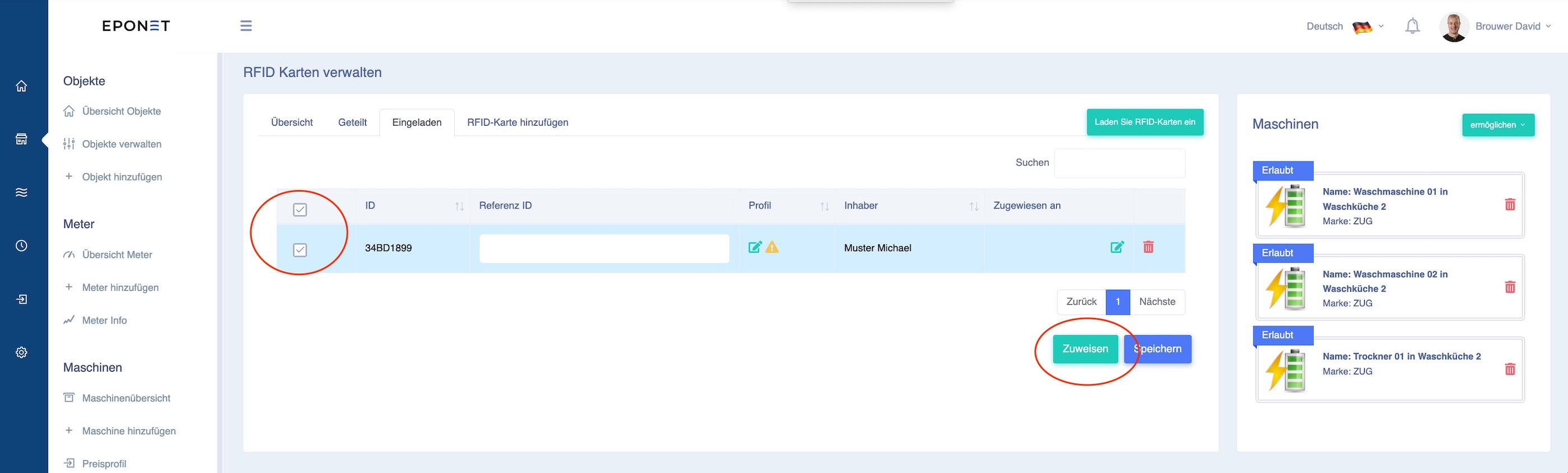
Ebenfalls unter dem Reiter "Eingeladen" gibt es eine Möglichkeit zur Stappelverwaltung einer eingeladenen RFID-Karte. Hierzu markieren Sie eine oder mehrere RFID-Karte(n) und klicken auf den grünen Button "Zuweisen":
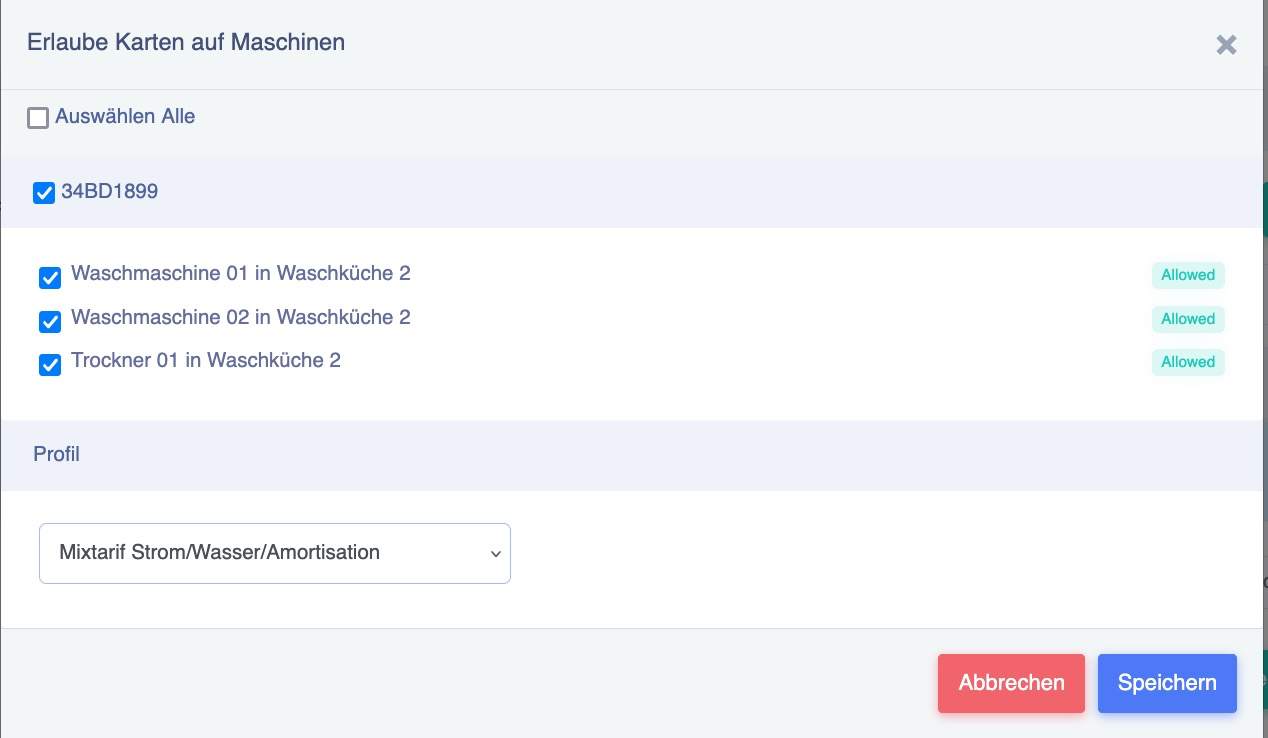
In folgendem Fenster kann nun einer RFID-Karte die Berechtigung und das Preis Profil in einem Durchgang zugewiesen werden:
Haben Sie eine Eponet RFID-Karte, ist die aufgedruckte Nummer auf der Karte auch gleich die in der Karte gespeicherte Nummer, die gelesen wird. Das ist nicht immer selbstverständlich. Es lassen sich auch RFID-Karten von anderen Anbietern hinterlegen, sofern diese dem gängigen RFID-Standard für Ladestationen entsprechen.
Unterstützte RFID-Technologie:
Unterstützt werden passive HF-RFID-Tags nach ISO/IEC 14443 oder ISO/IEC 15693) (NFC) auf 13.56Mhz
Evtl. kommt die Frage auf, wie zum Beispiel ob auch MiFare Classic unterstützt wird, bzw. falls ja, 1k oder 4k. Hier ist zu sagen, es spielt keine Rolle. Die Ladestation liest nur die UUID des Chips aus. Es spielt daher keine Rolle, ob der Chip 1k oder 4k Speicher hat.
Es wird nicht empfohlen, RFID-Karten zu beschreiben, da je nach Ladestation dann nicht die UUID sondern der im Speicher befindliche Wert ausgelesen wird. Dies kann zu Inkompatibilität z.B. bei Hubject führen.