
Assegnazione del profilo di autorizzazione
Assegnare il profilo di autorizzazione a una persona
Questo articolo descrive come assegnare un profilo di autorizzazione creato a un'altra persona affinché questa possa accedere al tuo account.
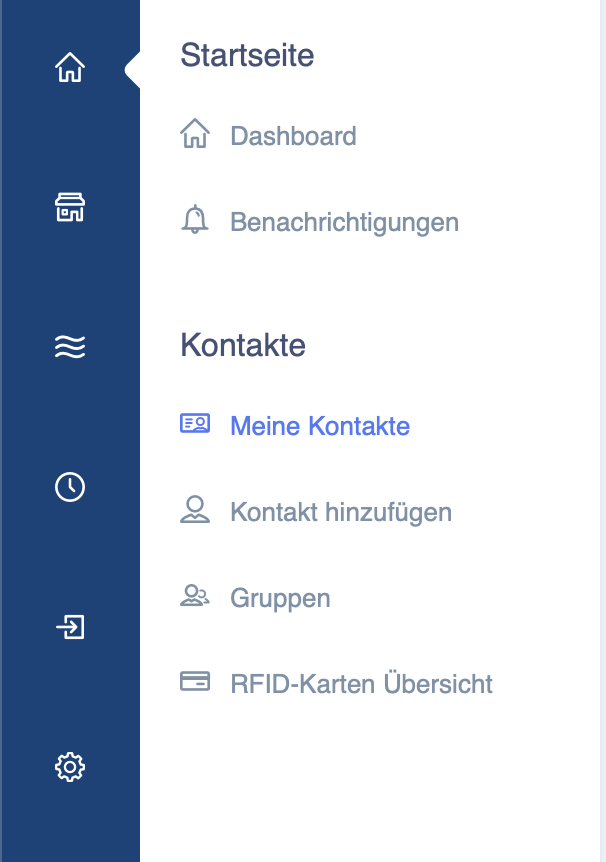
Seleziona "Dashboard - I miei contatti" nella colonna blu a sinistra.
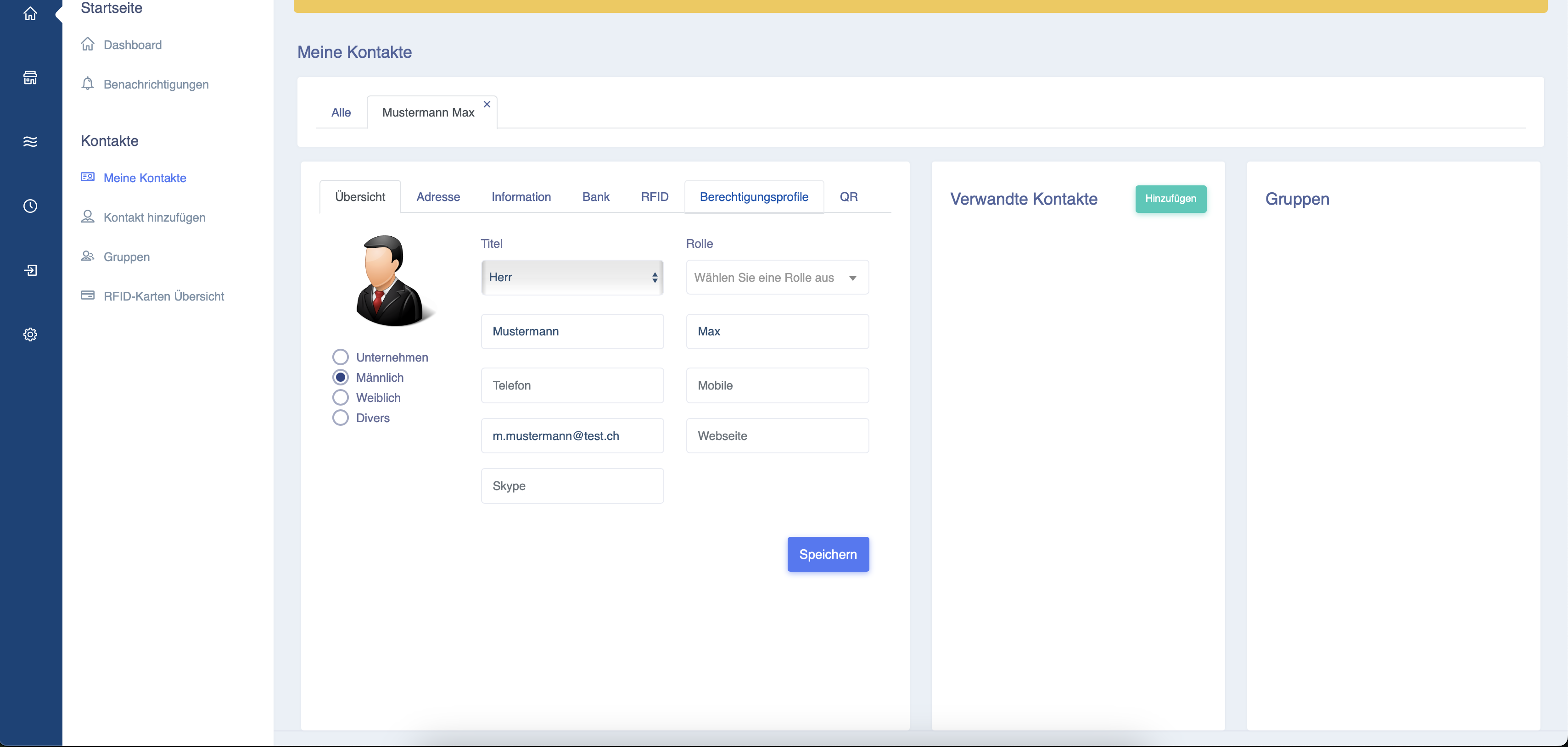
Selezionare il contatto a cui si desidera assegnare l'autorizzazione.
Cliccare sulla scheda "Profilo di autorizzazione" come mostrato di seguito.
L'indirizzo e-mail dell'utente deve corrispondere all'indirizzo e-mail con cui si è registrato sul portale Eponet.
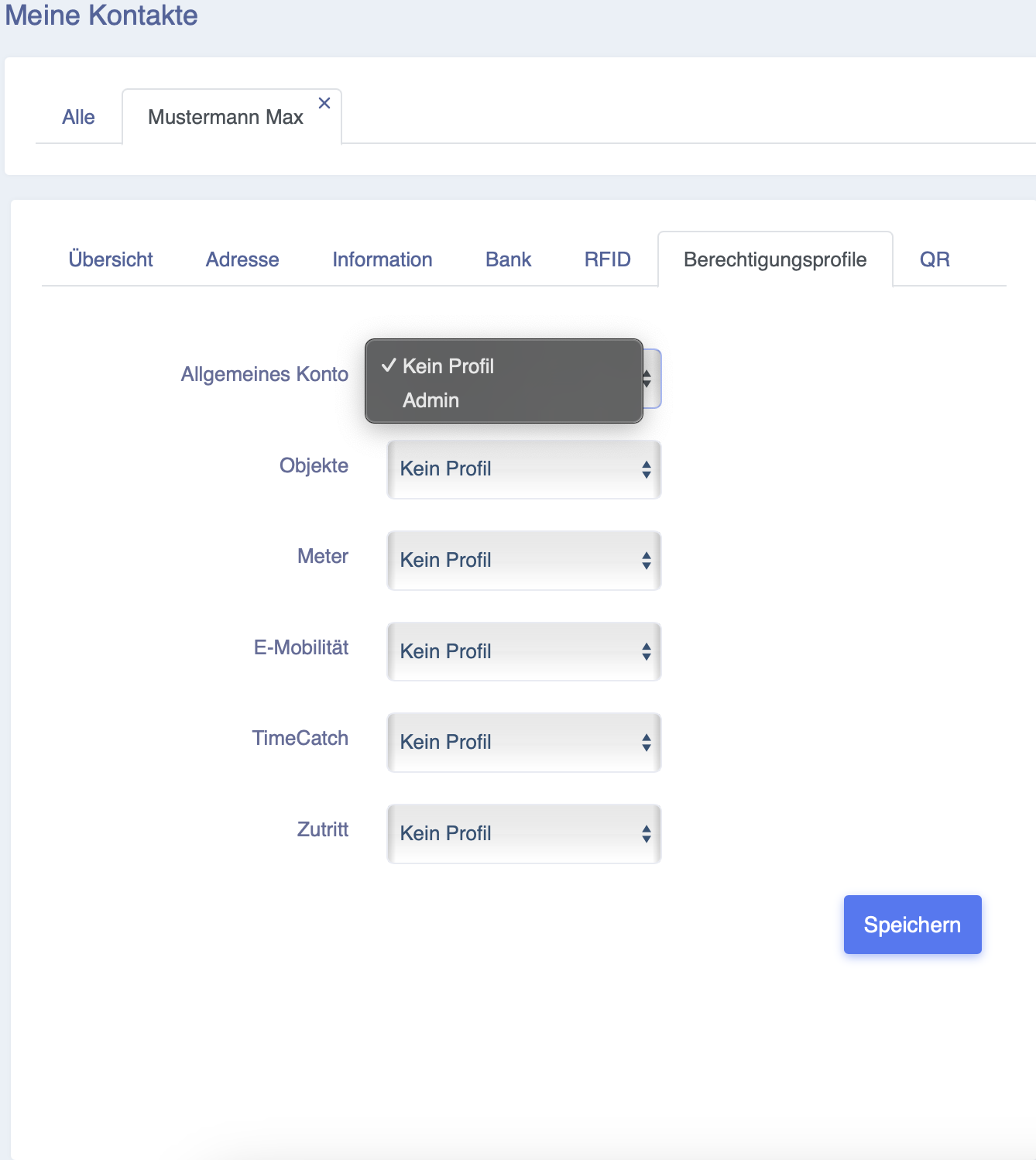
Qui puoi selezionare l'autorizzazione che hai creato in precedenza e salvarla.
L'utente dell'account a cui hai ora concesso l'autorizzazione può ora accedere al tuo account dal proprio account cliccando sulla barra nera visibile in basso (il nome del suo account).
