
RFID card management - Home
RFID cards can be managed in various places.
On the home page in the RFID card overview, under E-mobility or under Machines.
This chapter describes the function on the start page.
Here you will find a complete overview of the RFID cards on this account. RFID cards can also be entered here.
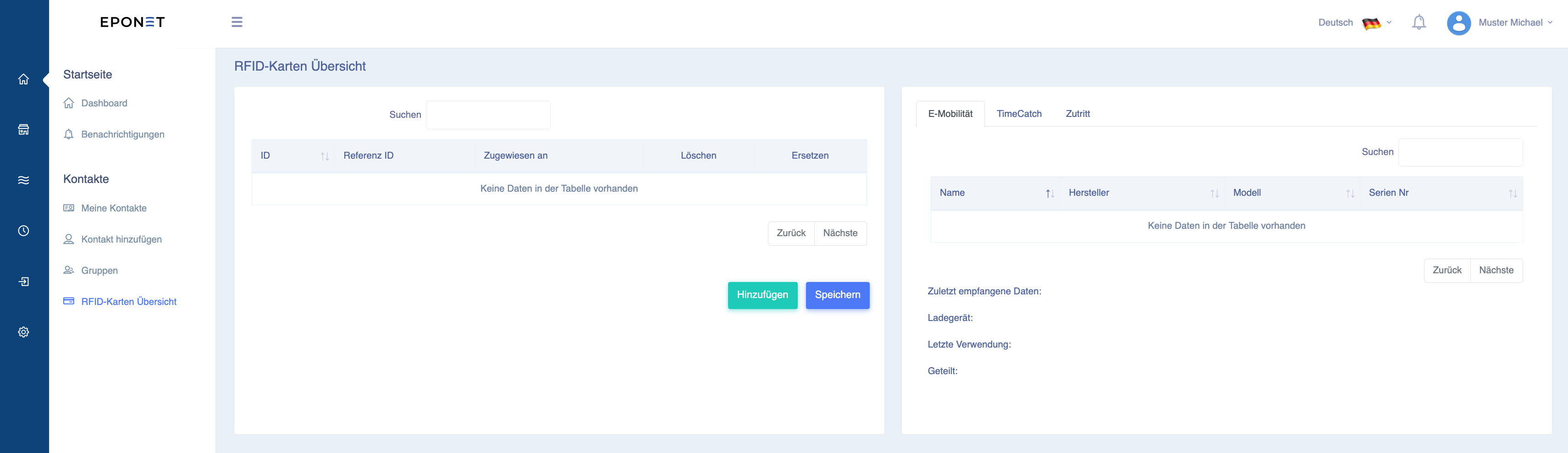
You can enter RFID cards using the Add button:
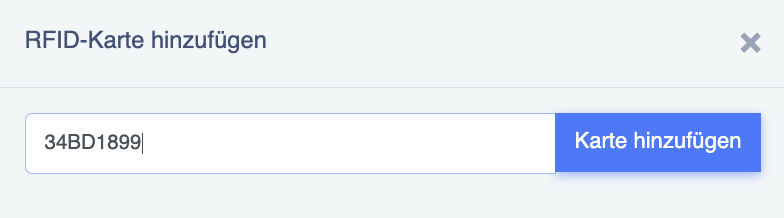
RFID numbers are entered in Eponet without spaces and without colons. If your RFID card has a number printed on it, e.g. 12:34:56:78, this must be entered without spaces and dots, i.e. 12345678
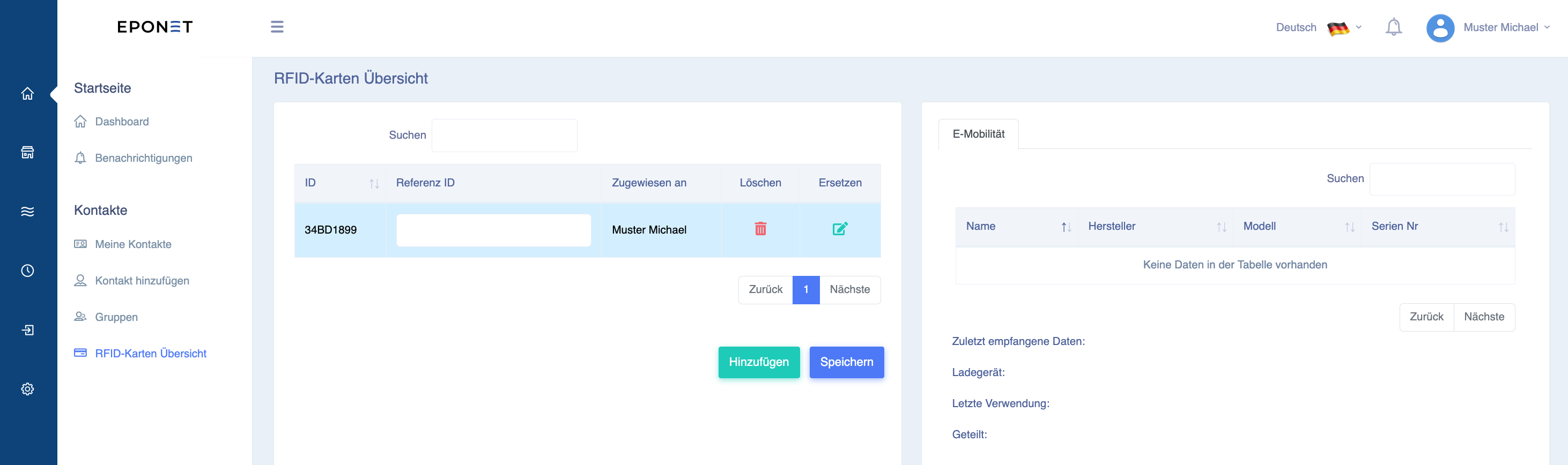
The card will then appear in the table. In the Reference ID field, you can save your own details for your information (e.g. car number). A card can also be removed again with Delete.
Replace RFID card
If you have lost your RFID card or entered it incorrectly, you can use the "Replace" function to enter the new RFID card number and all authorisations where the card is approved will be retained. Please use this function with caution – it can affect the evaluation and history:
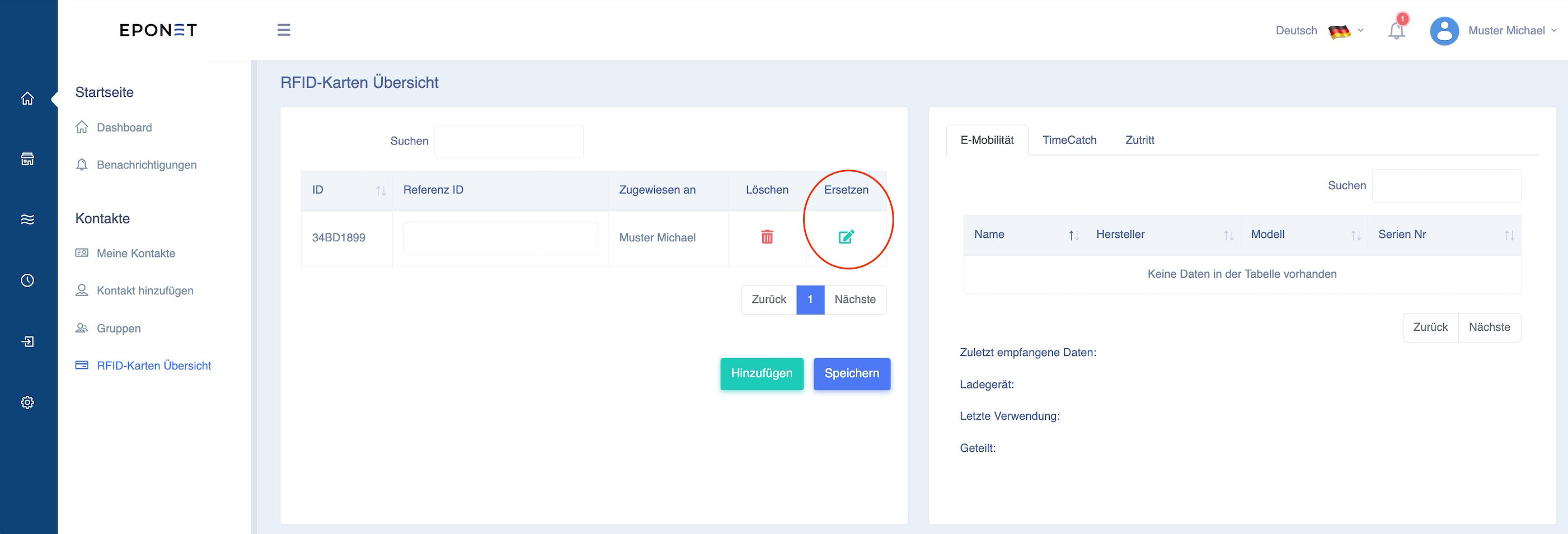
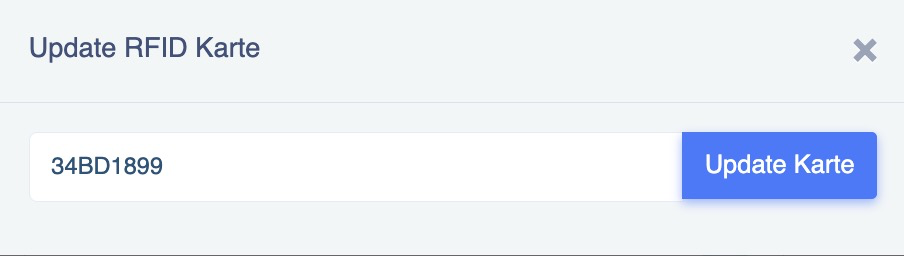
To "Replace", click on the green edit icon and the following window will open. Here you can enter the new or correct RFID number and activate it with Update Card:
If you have an Eponet RFID card, the number printed on the card is the same as the number stored on the card that is read. This is not always the case. RFID cards from other providers can also be stored, provided they comply with the current RFID standard for charging stations.
Supported RFID technology: Passive HF RFID tags according to ISO/IEC
14443 or ISO/IEC 15693) (NFC) at 13.56 MHz are supported
. The question may arise as to whether MiFare Classic is also supported, and if so, 1k or 4k. The answer is that it does not matter. The charging station only reads the UUID of the chip. It therefore does not matter whether the chip has 1k or 4k memory.
It is not recommended to write to RFID cards, as depending on the charging station, the value stored in the memory may be read instead of the UUID. This can lead to incompatibility, e.g. with Hubject.