RFID Nummern werden bei Eponet ohne Abstände und ohne Doppelpunkte erfasst. Haben Sie auf Ihrer RFID Karte eine Nummer wie z.B. 12:34:56:78 aufgedruckt, muss diese ohne Abstände und Punkte eingegeben werden, also 12345678
Die Karte erscheint danach in der Tabelle. Beim Feld Referenz ID können Sie für Ihre Information eigene Details abspeichern (z.B. Autonummer). Mit Löschen kann eine Karte auch wieder entfernt werden. [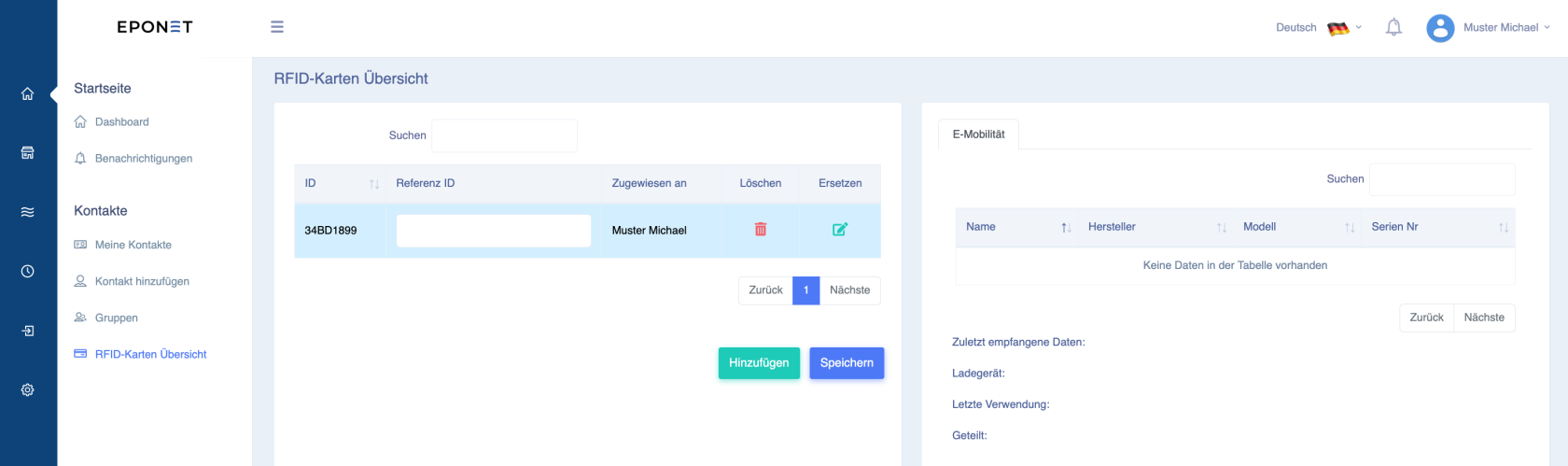](https://wiki.eponet.ch/uploads/images/gallery/2025-01/Lohgrafik.png) ##### **RFID-Karte ersetzen** Haben Sie Ihre RFID-Karte verloren oder falsch eingegeben, kann mit der Funktion "Ersetzen" die neue RFID-Karten Nummer eingegeben werden und alle Berechtigungen wo die Karte freigegeben ist, bleiben erhalten. Bitte nutzen Sie diese Funktion mit Vorsicht - sie kann Auswirkungen auf die Auswertung und Historie haben: [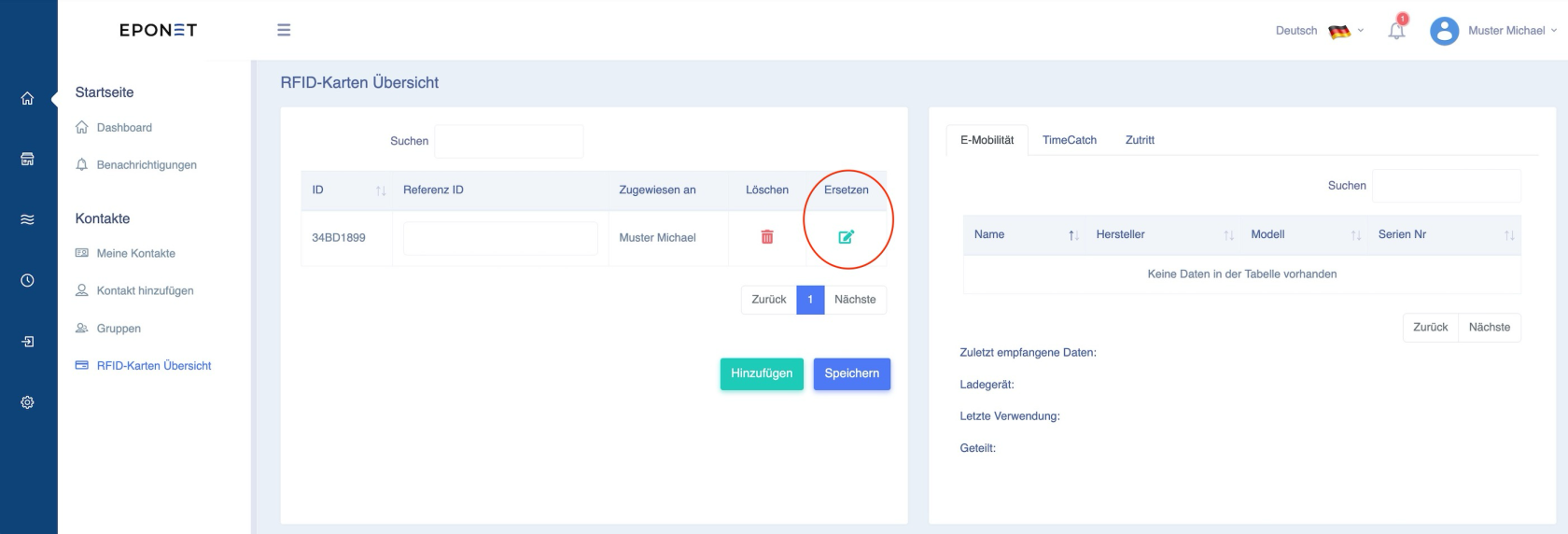](https://wiki.eponet.ch/uploads/images/gallery/2025-02/aNVgrafik.png) Zum "Ersetzen" klicken Sie auf das grüne Editier-Icon und folgendes Fenster geht auf. Sie können hier die neue, bzw. korrekte RFID Nummer eingeben und mit Update Karte aktivieren: [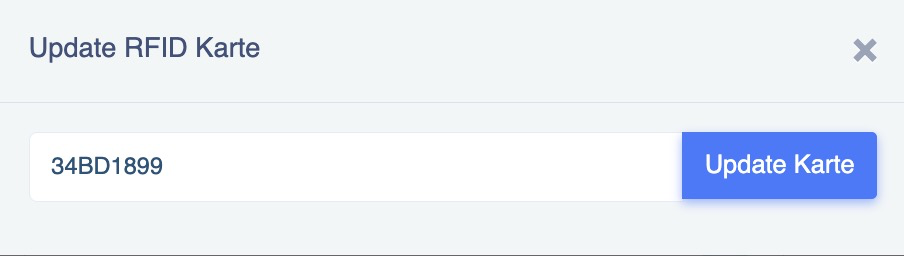](https://wiki.eponet.ch/uploads/images/gallery/2025-02/z3Mgrafik.png)Haben Sie eine Eponet RFID-Karte, ist die aufgedruckte Nummer auf der Karte auch gleich die in der Karte gespeicherte Nummer, die gelesen wird. Das ist nicht immer selbstverständlich. Es lassen sich auch RFID-Karten von anderen Anbietern hinterlegen, sofern diese dem gängigen RFID-Standard für Ladestationen entsprechen.
**Unterstützte RFID-Technologie:** Unterstützt werden passive HF-[RFID](https://de.wikipedia.org/wiki/RFID)-Tags nach [ISO/IEC 14443](https://de.wikipedia.org/wiki/ISO/IEC_14443) oder [ISO/IEC 15693](https://de.wikipedia.org/wiki/ISO_15693)) (NFC) auf 13.56Mhz Evtl. kommt die Frage auf, wie zum Beispiel ob auch MiFare Classic unterstützt wird, bzw. falls ja, 1k oder 4k. Hier ist zu sagen, es spielt keine Rolle. Die Ladestation liest nur die UUID des Chips aus. Es spielt daher keine Rolle, ob der Chip 1k oder 4k Speicher hat. Es wird nicht empfohlen, RFID-Karten zu beschreiben, da je nach Ladestation dann nicht die UUID sondern der im Speicher befindliche Wert ausgelesen wird. Dies kann zu Inkompatibilität z.B. bei Hubject führen.