
2 factor authentication
Two-factor authentication (2FA), also known as two-step authentication, is an additional security measure that protects access to online accounts and systems by requiring a second, independent factor in addition to the password.
Caution:
Please note that two-factor authentication is a security component that cannot be easily deactivated if Eponet is used incorrectly. It can only be activated with the Google or Microsoft Authenticator app – and can therefore only be deactivated with the same app.
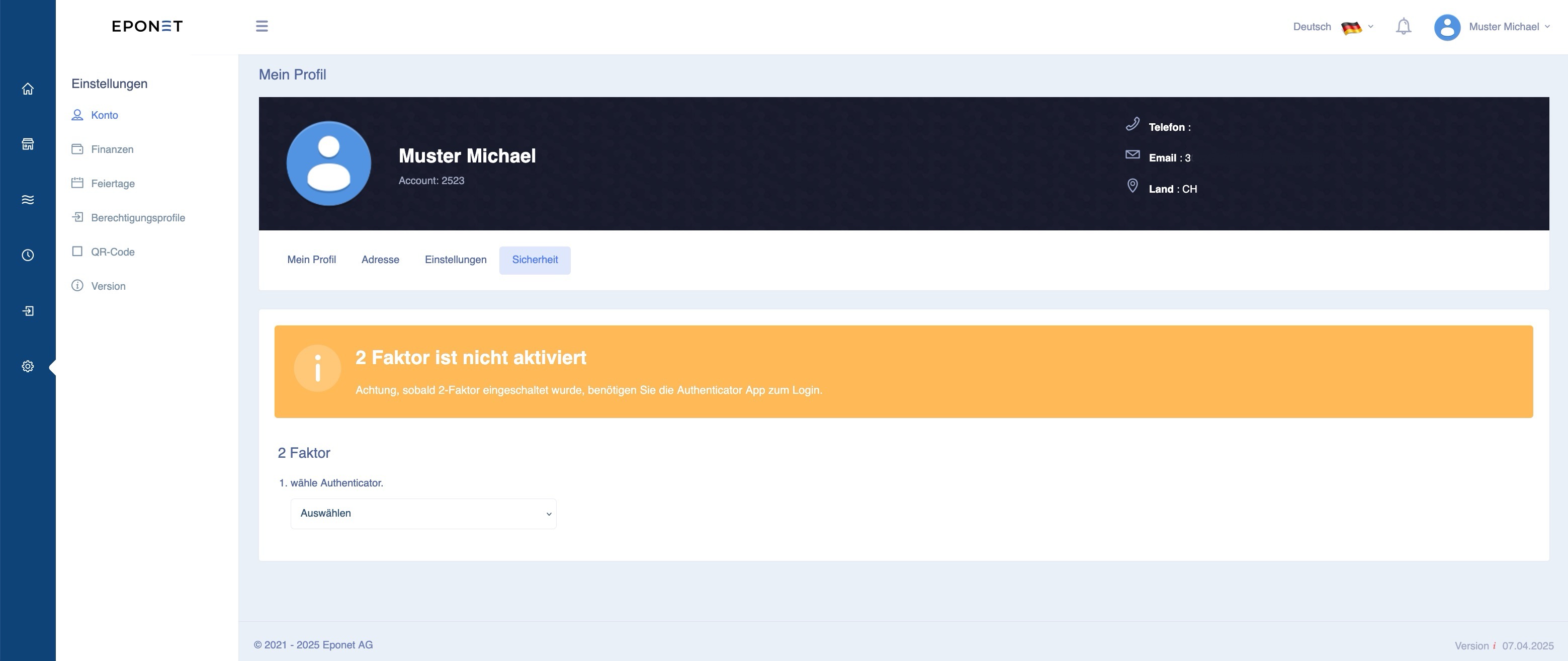
You can find two-factor authentication in your account/My Profile under the Security tab:
Manual deactivation of two-factor authentication by Eponet
If two-factor authentication has been activated and you are unable to deactivate it, Eponet can only reactivate your account for security reasons by following these steps, which will incur a fee.
- Fill out the "Deactivation of two-factor authentication" form, sign it, and send it back to us with a copy of your ID document to info@eponet.ch
- Eponet will check the form/data against your account and deactivate two-factor authentication.
- Eponet will reset your password – if you have forgotten your password, you can request a new one.
This process can take up to 15 working days and will be charged to your account at a flat rate of CHF 45. Please ensure that this does not cause your account to fall below the minimum balance and prevent you from using Eponet services.