
Load RFID cards - E-mobility
As an administrator or operator of charging stations, you can invite STWE, tenants or simply users to charging stations. This page describes the procedure and options.
Requirements
- You have functional charging stations on your Eponet account
- You have already created a charging profile (
prices) for users - You know the email address or RFID number(s) of the user you want to invite
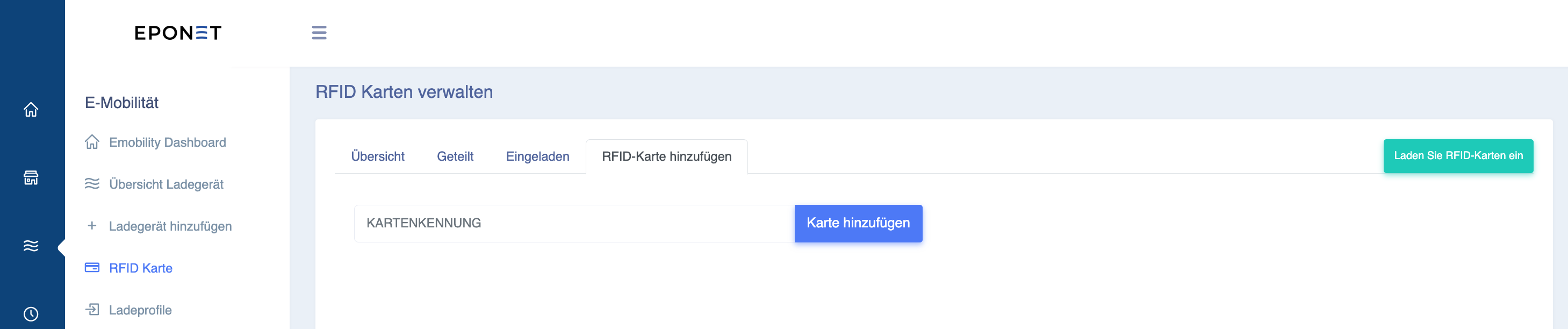
Now click on the green button "Invite RFID cards". A window
will open and you now have two options for inviting users.
Option 1 – Invite via email address:
Enter the email address of the user you want to invite in the top field and click on the charging stations they are allowed to use. Select the charging profile for each charging station you click on:
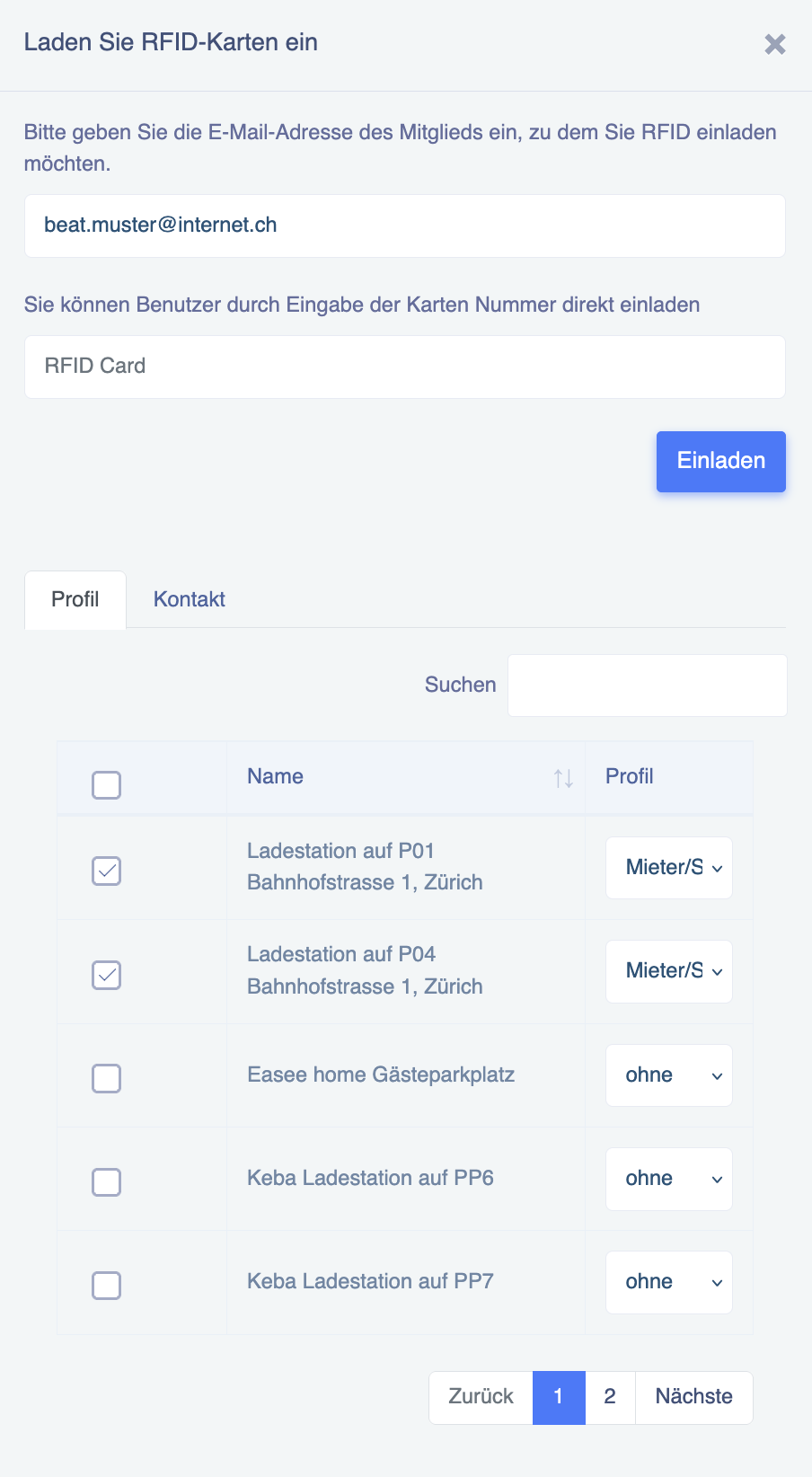
Please note:
If no profile is selected, i.e. if the invitation is sent with "none", the renter/STWE can charge
for free!
Information about inviting via email address:
If the invitation fails with the message: The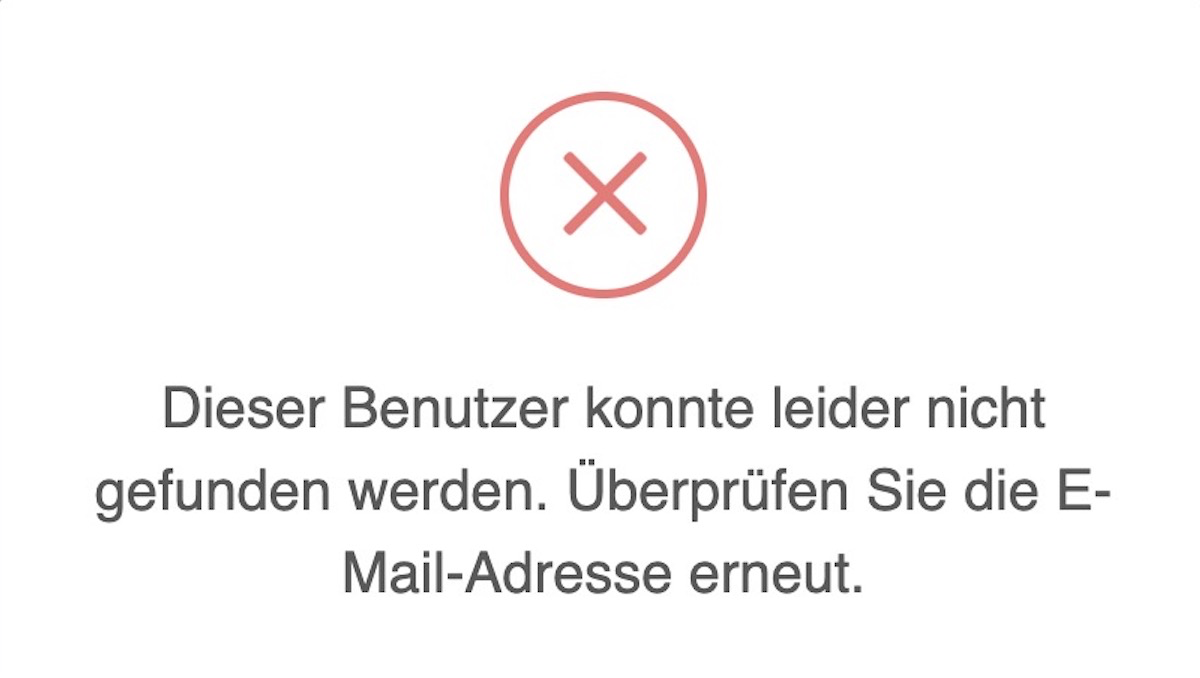
reason for this is probably that the user has not yet created an Eponet account.
This means that they cannot yet be invited.
After pressing the blue "Invite" button, the invitee receives an email informing them that they have a notification in their account. In their account, under "Notifications", they can see their invitation and share their desired RFID cards:
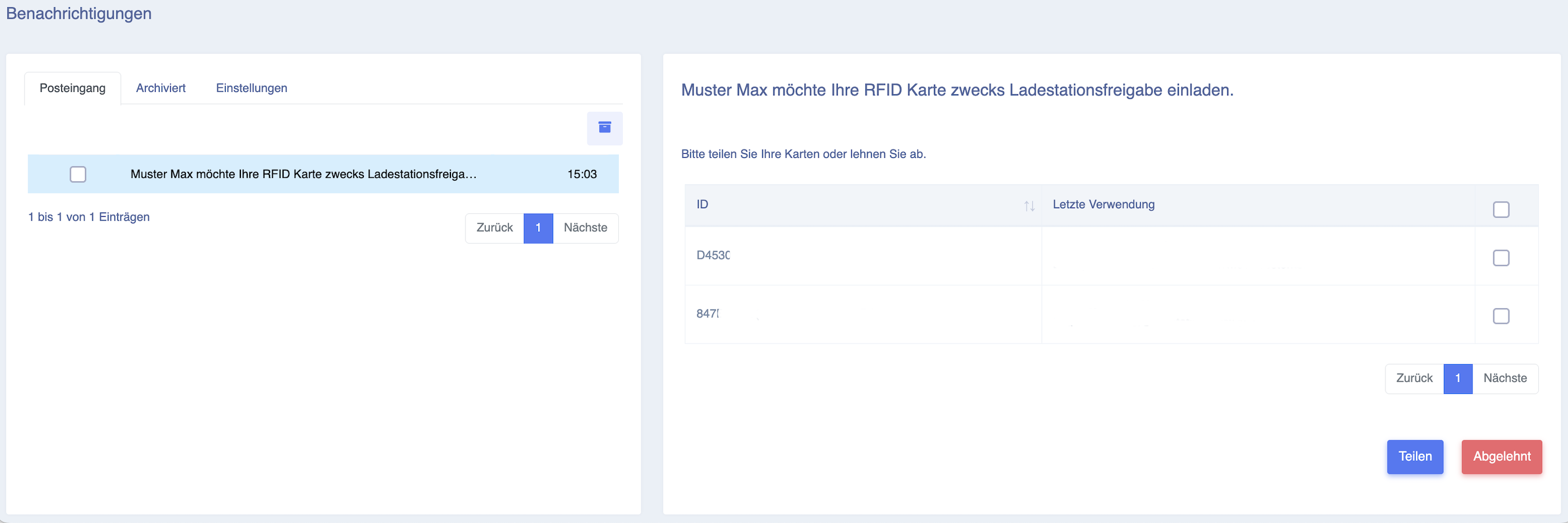
Option 2 – Invite via RFID card number:
Instead of using the user's email address, you can also invite a user directly if you know their RFID number.
To do this, enter the user's RFID number in the "RFID Card" field and click on the charging stations where they are allowed to use. Select the charging profile for each charging station you click on:
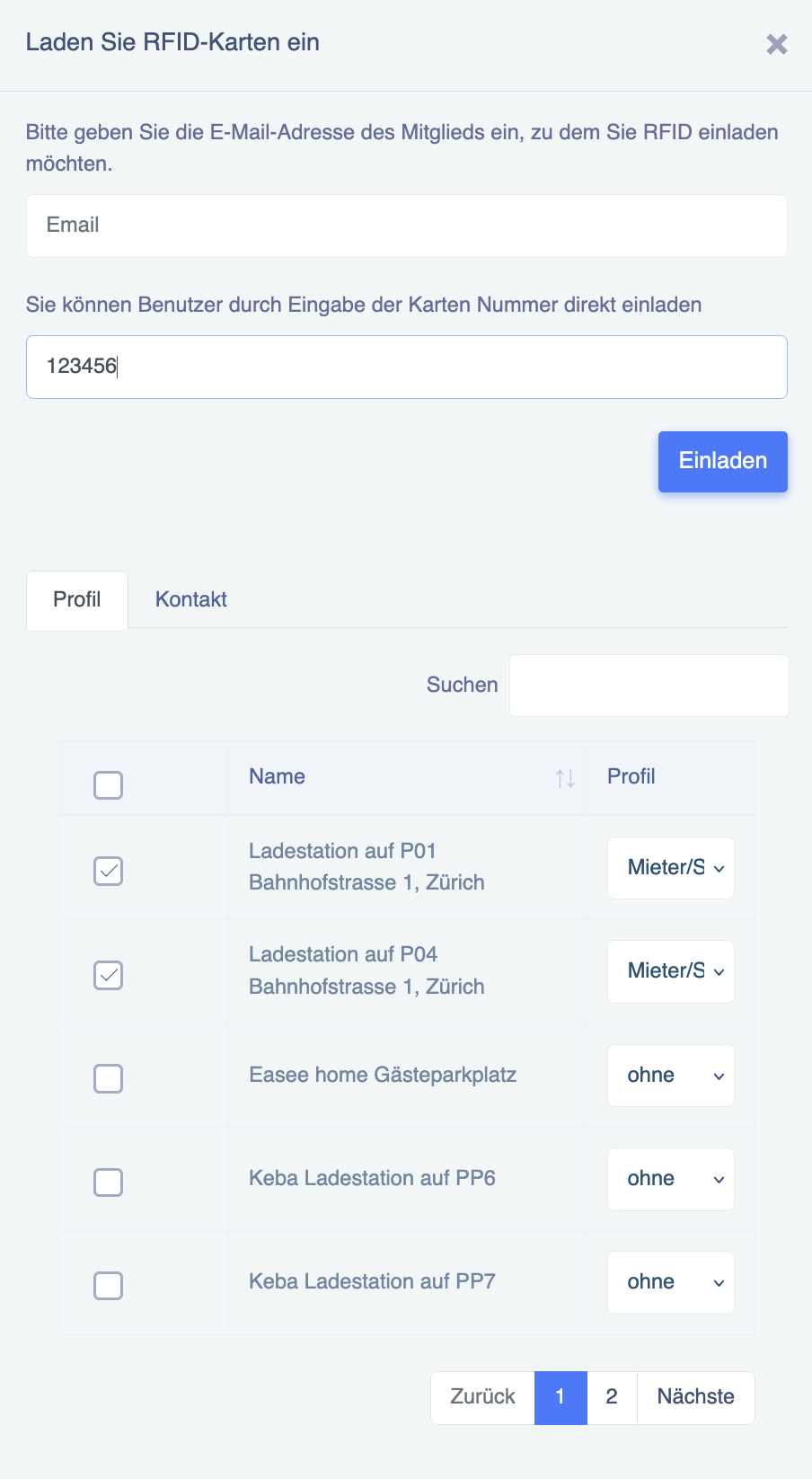
Please note:
If no profile is selected, i.e. if the invitation is sent with "none", the renter/STWE can charge
for free!
After pressing the blue "Invite" button, the invitation is complete. The user can use the RFID card(s) immediately (provided their balance is high enough).
The invited user will still receive an email informing them that they have a notification in their account stating that they have been invited.