
Replace loading profile on appointment
This page describes how to replace an existing charging profile with a new charging profile on a desired date.
It is explained using the example of a property where the active charging profile named "HT / NT STWE 2024" will be replaced by the new charging profile "HT / NT STWE 2025" on 1 January 2025.
Preparation:
First, create the new load profile, e.g. "HT / NT STWE 2025" as shown here.
Once you have created and checked the new load profile, select the green Manage button on the left-hand side. The following window will appear, where you can click on the Add button on the right-hand side:
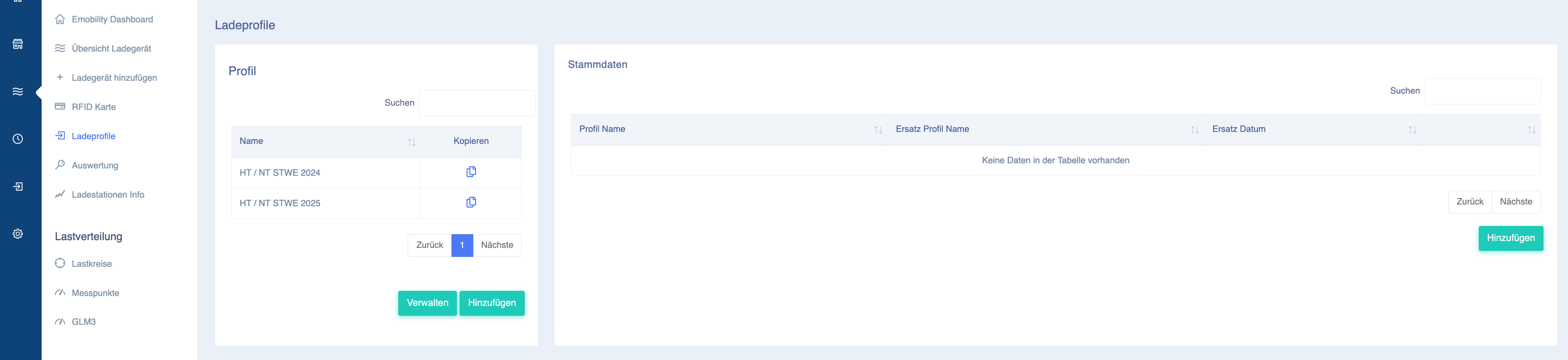
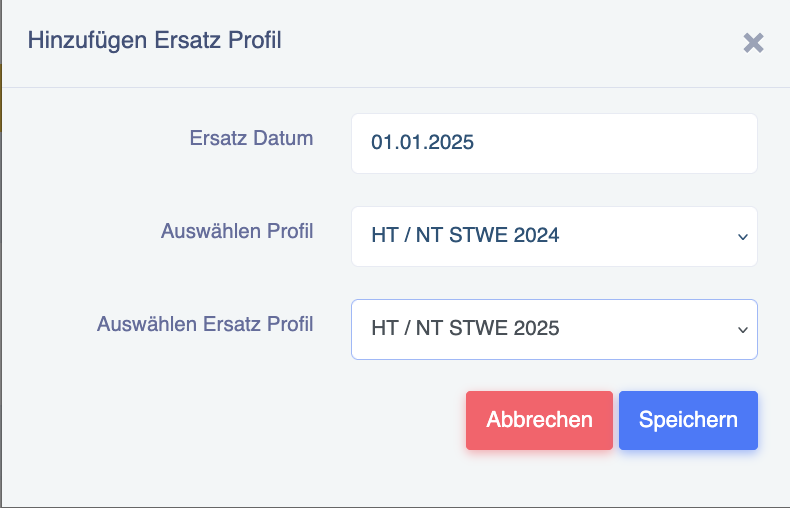
The window for adding a replacement profile will then open:
Here, enter the desired switchover date and which profile should be replaced by which on that date:
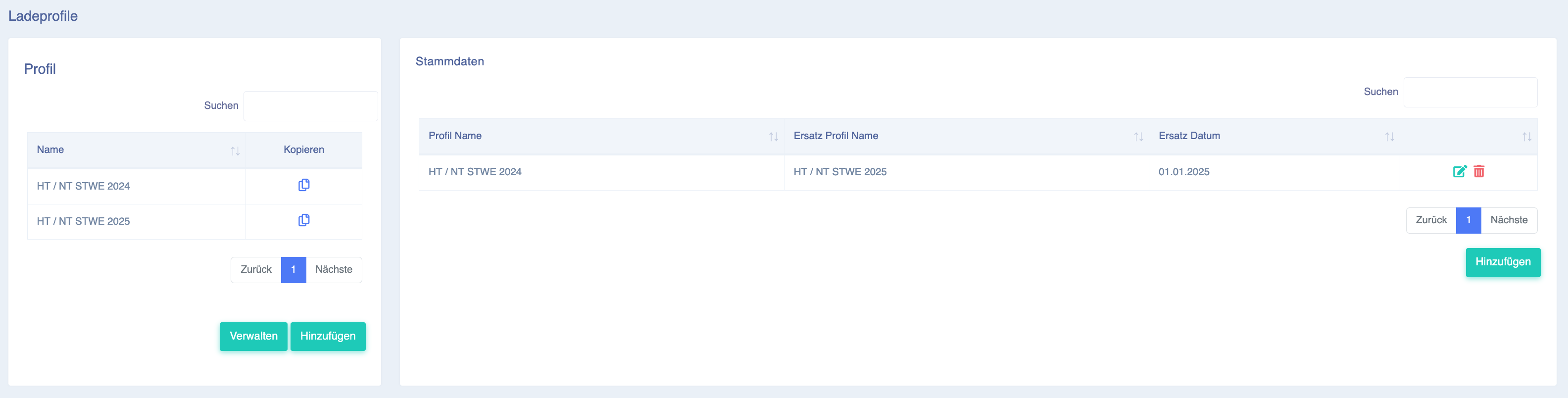
The changeover order should now be visible as follows:
Important information: All invited users (RFID cards) with
the "HT / NT STWE 2024" tariff will be switched to the new charging profile. Anyone who has a different charging profile for any other reason will remain on the other charging profile.