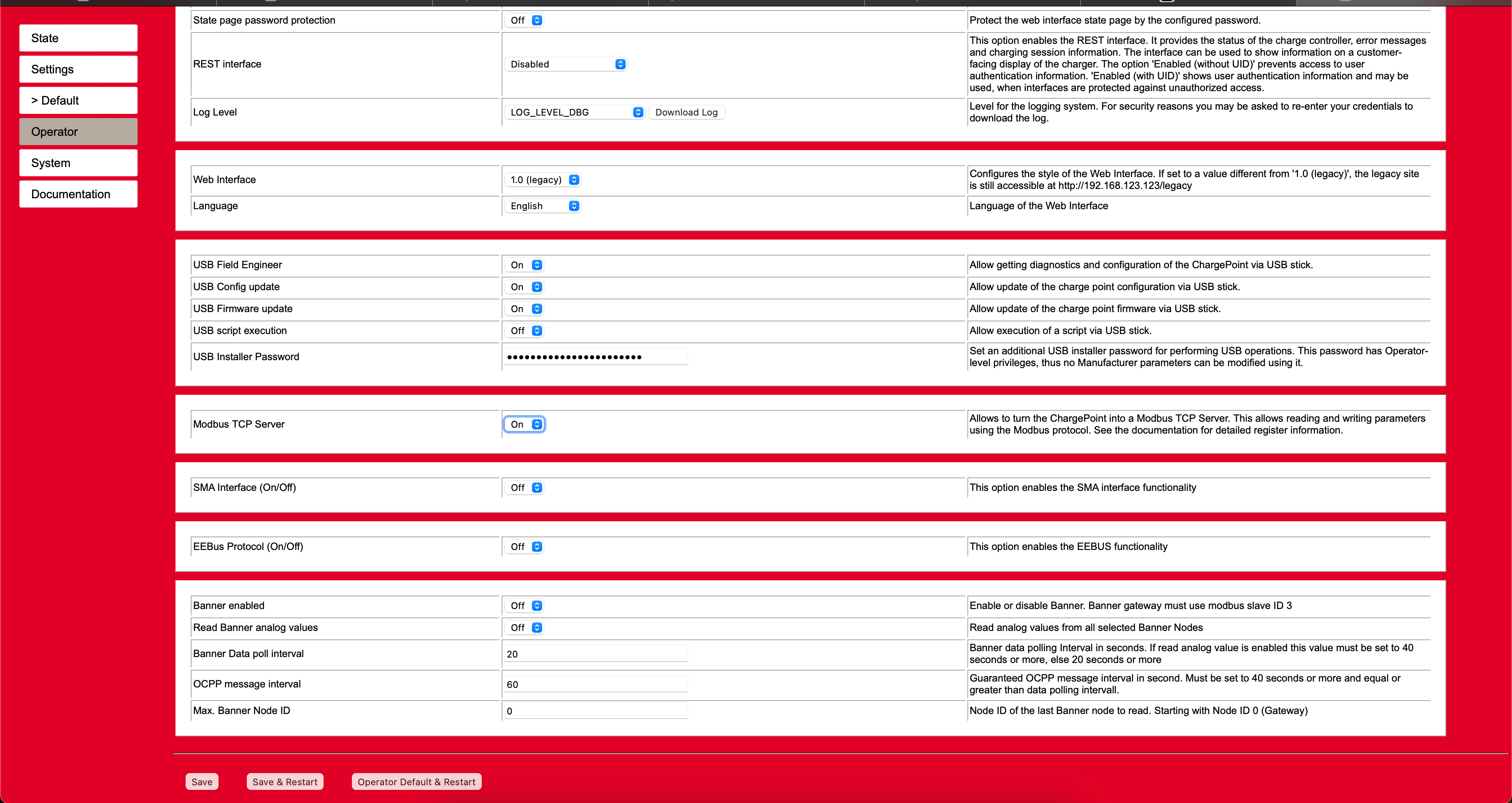
Configuration of the charging station
Configuration in the web browser.
Enter the IP address in the browser with /operator at the end.
Example:

Enter the default user name
and password User name: operator
Password: 463joSefine6011
Then select the Operator tab on the left and configure the settings as shown in the image.
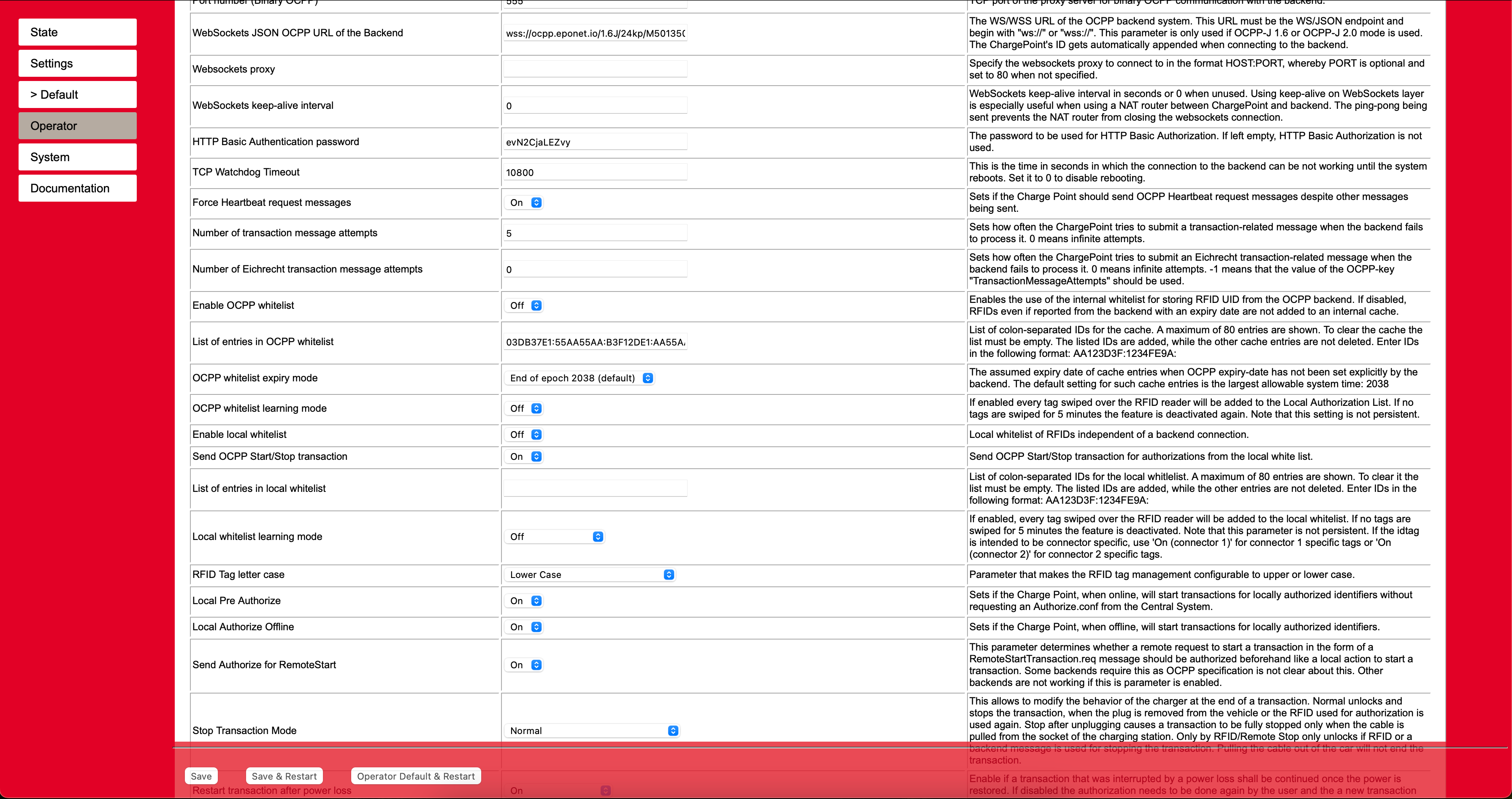
OCPP link: wss://ocpp.eponet.io/1.6J/24kp/serial
The whitelists are always active by default and must be deactivated manually.
Now set the "Modbus TCP Server" to On.