
Intégration de la station de recharge AC Mennekes dans le portail Eponet
Ce guide correspond à l'étape 3 pour la connexion d'une station de recharge CA Mennekes au portail Eponet.
Vous trouverez l'étape 1 sous ce lien : Instructions de base pour l'intégration des bornes de recharge
|
|
Versions logicielles Mennekes
|
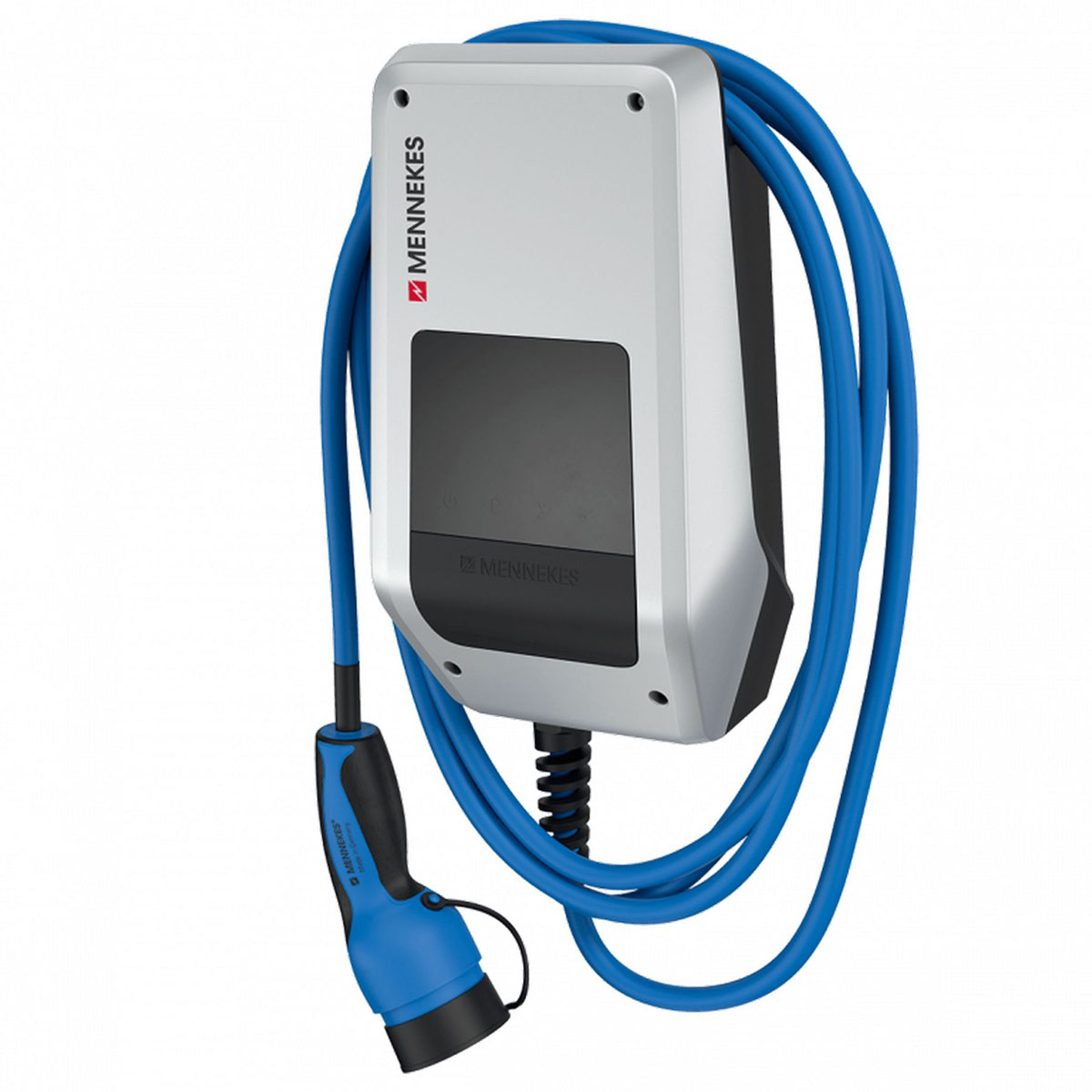
Saisissez l'adresse IP de la borne de recharge dans la barre d'adresse de votre navigateur et connectez-vous à l'aide du nom d'utilisateur et du mot de passe indiqués dans les documents joints.
Les paramètres suivants s'affichent alors.
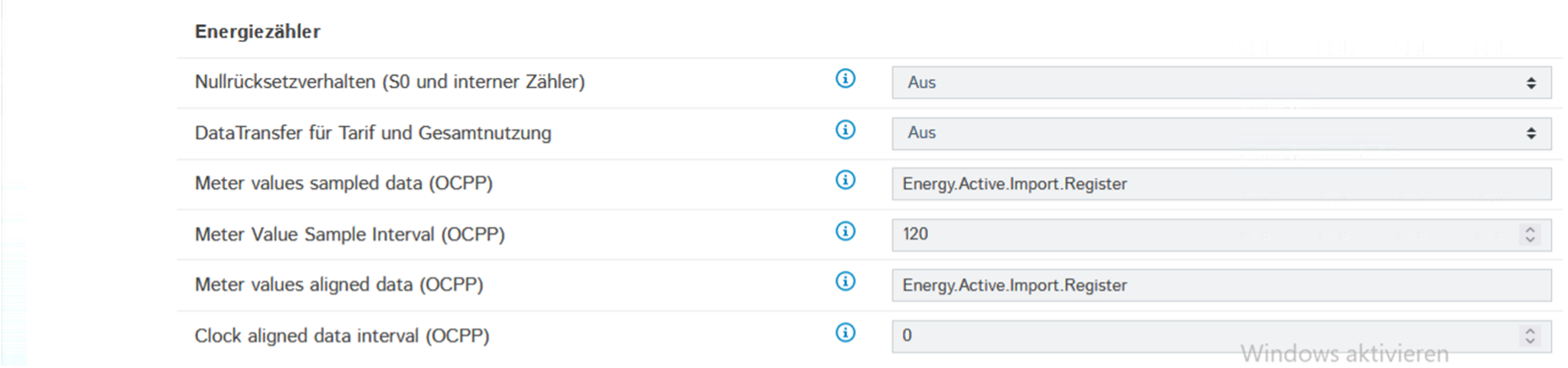
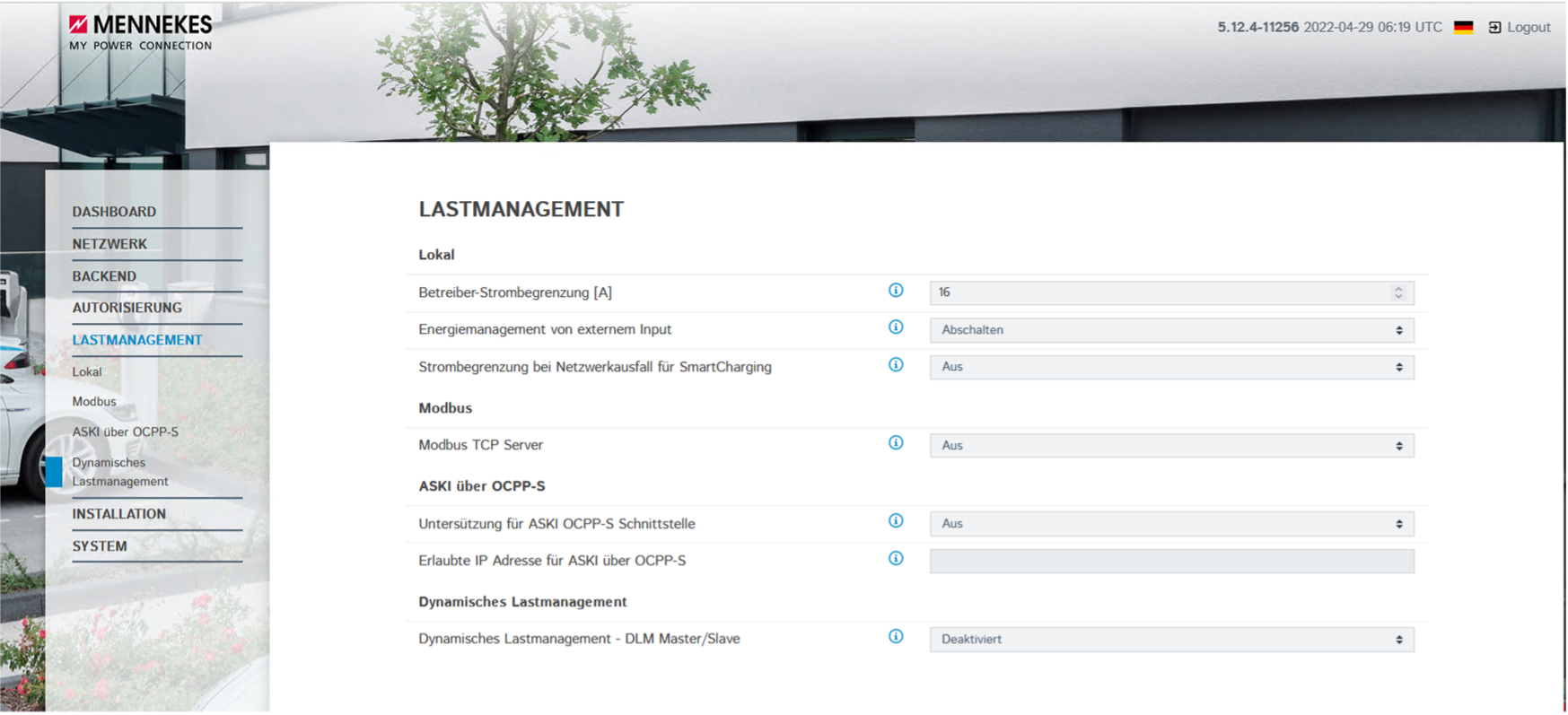
Configurez tout comme indiqué sur les images.
Le « ChargePointID » correspond au numéro de série de la station de recharge et doit être unique.
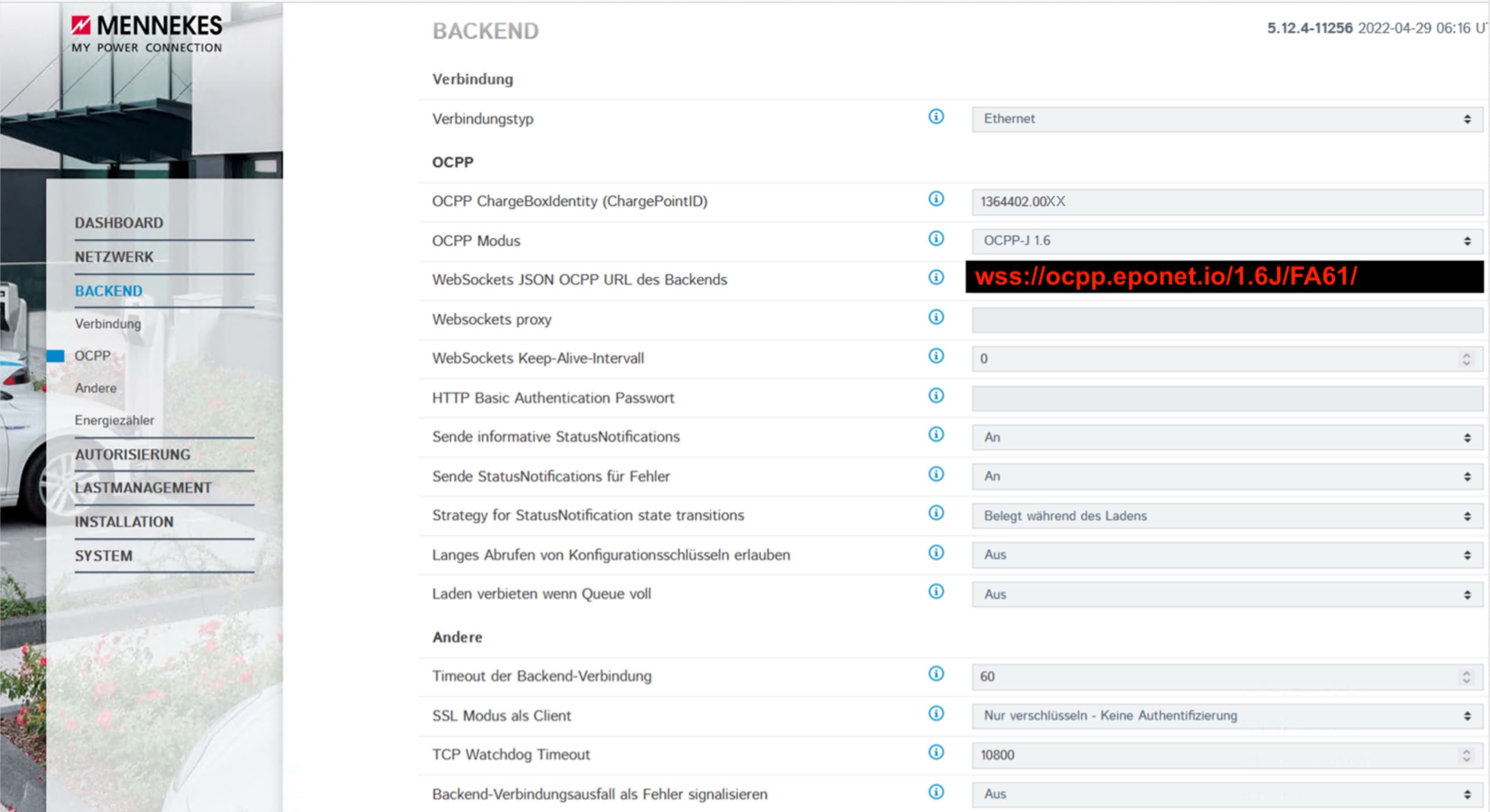 wss://ocpp.eponet.io/1.6J/FA61/

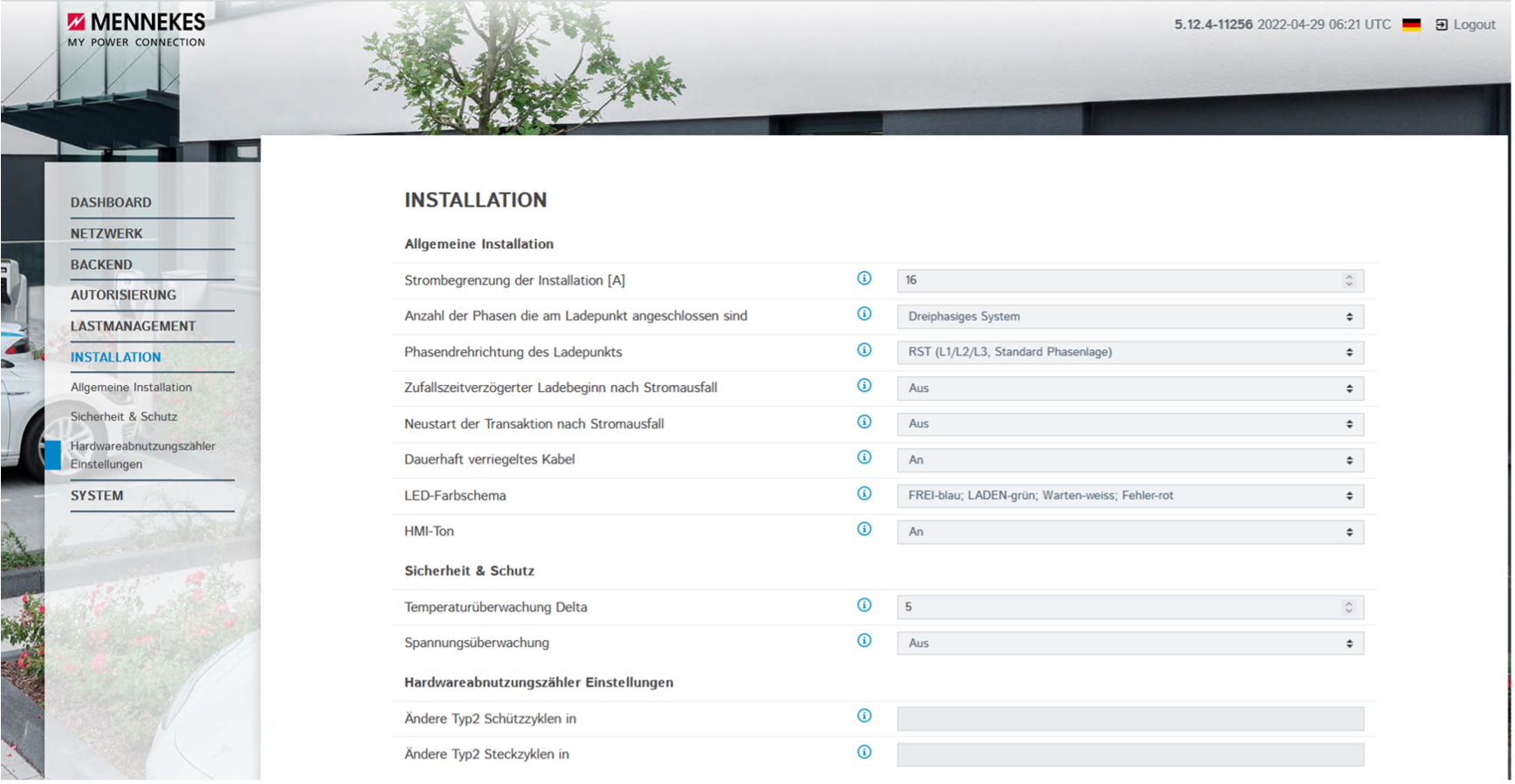
Enregistrez ensuite les paramètres et redémarrez la station de recharge. La station de recharge
devrait alors être mise en ligne sur le portail Eponet.
Liste de contrôle :
-
Logiciel vérifié / à jour ?
-
Internet configuré / en ligne ?
-
Serveur OCPP : lien Eponet configuré et station de recharge en ligne sur le portail Eponet ?