
Integration of the KEBA AC charging station into the Eponet portal
These instructions are step 3 for connecting a KEBA AC charging station to the Eponet portal.
Step 1 can be found at this link: Basic instructions for integrating charging stations
|
|
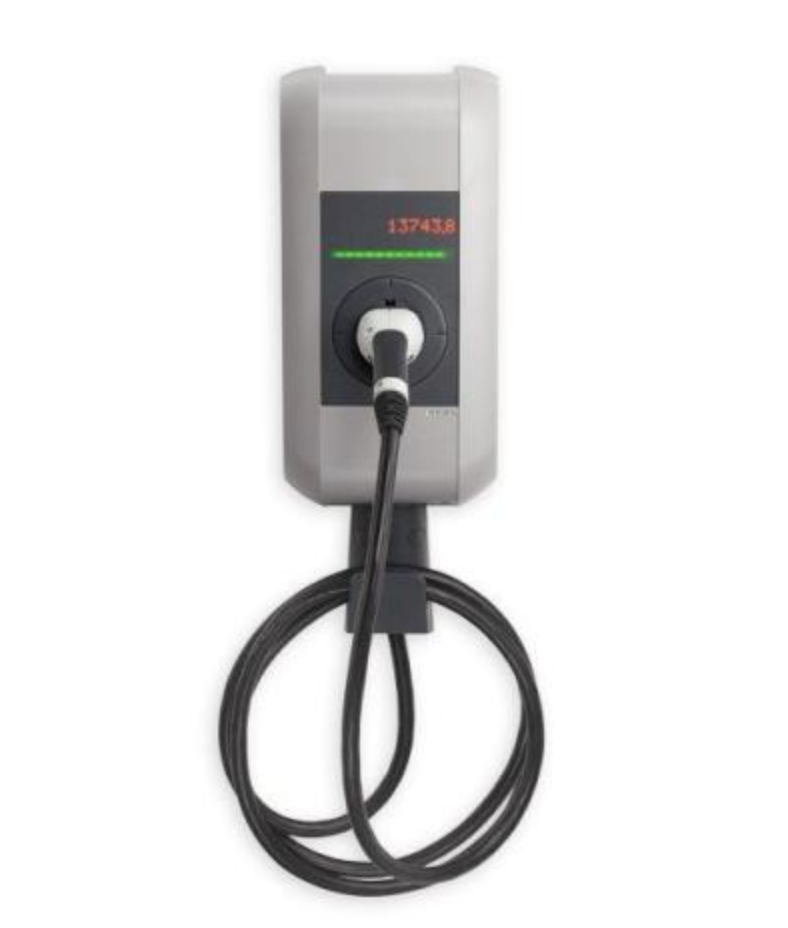
KEBA P30 (master must be present)
Please check early on that the Keba charging stations are running the latest software version. The update takes a long time and may need to be carried out in several stages. |
Log in to the web interface of the charging station and check the current software first. Operating instructions for the KEBA station, software versions and further information can be found at: Service & Support / Downloads at KEBA
Please make a note of the serial number of your KEBA charging station (e.g. 2004XXXX). You will also need this serial number later in the Eponet portal.
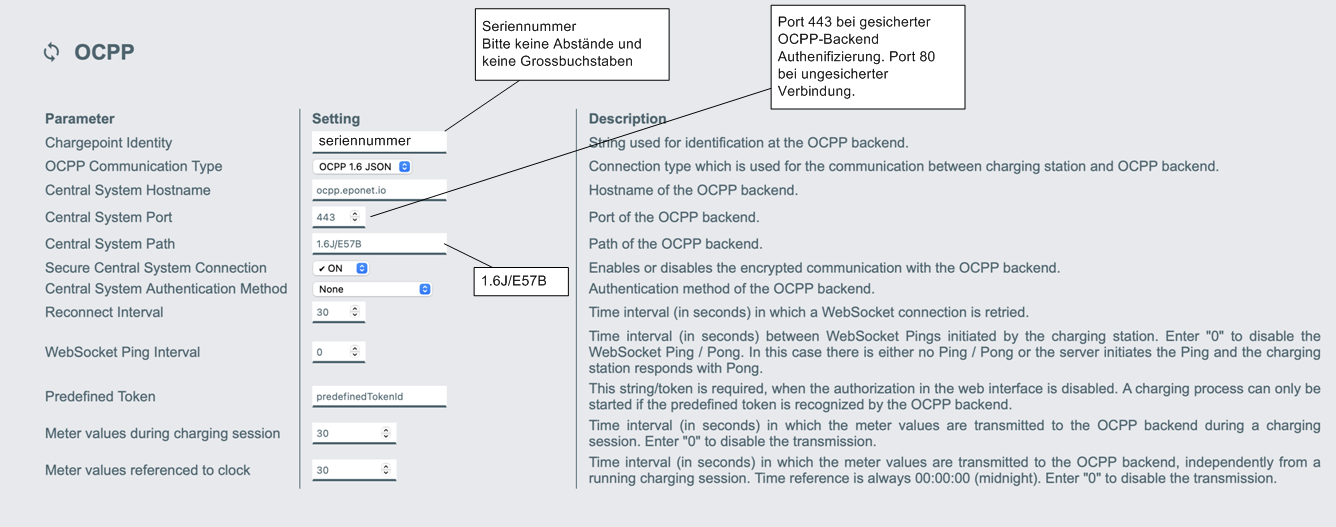
Select "OCPP-J 1.6". If the software is too old, this may not be possible. The following OCPP link must be entered in the master charging station under OCPP configuration:
wss://ocpp.eponet.io:443/1.6J/E57B/Serial or ws://ocpp.eponet.io:80/1.6J/E57B/Serial
The link must be entered as follows:
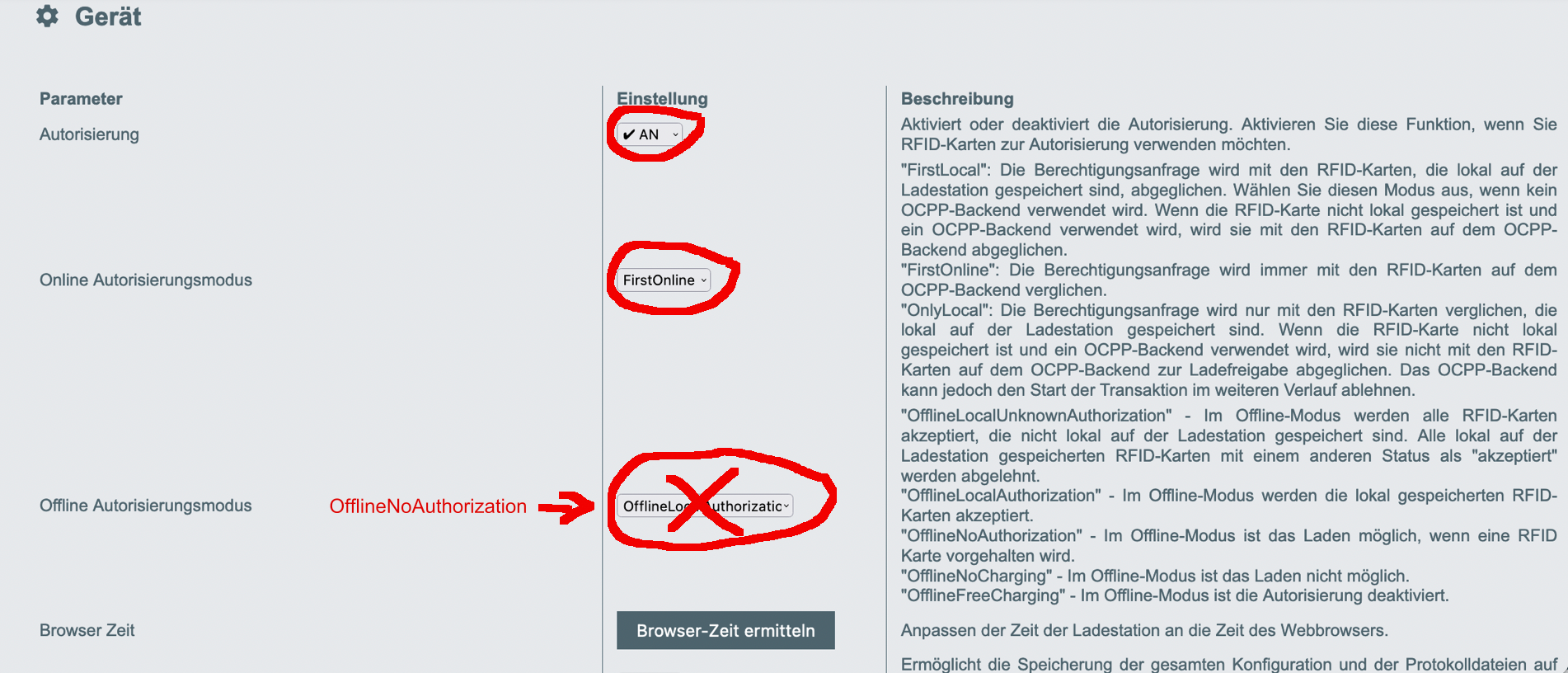
Please activate the settings as follows during authorisation (the page will only appear once you have set authorisation to ON):
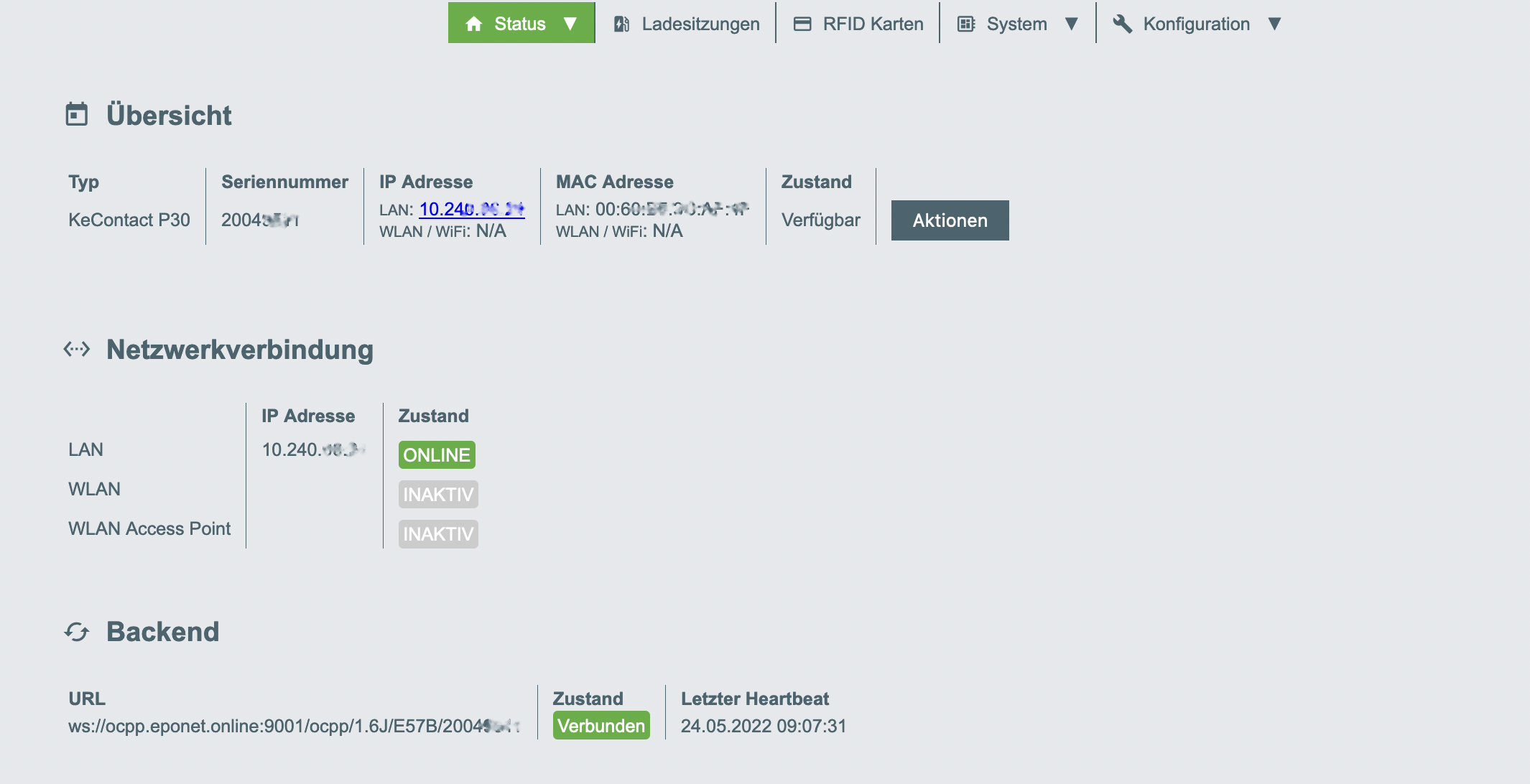
On the Status page, the backend status must be "Connected". Please set the Wi-Fi access point to INACTIVE.
Checklist:
-
Software checked / latest version?
-
Is the backend status "Connected"?
-
WLAN access point set to INACTIVE?
-
OCPP installed and charging station online on the Eponet portal