Here is the connection diagram for an installation.
The Y13R RFID readers (red) are connected to a USR. [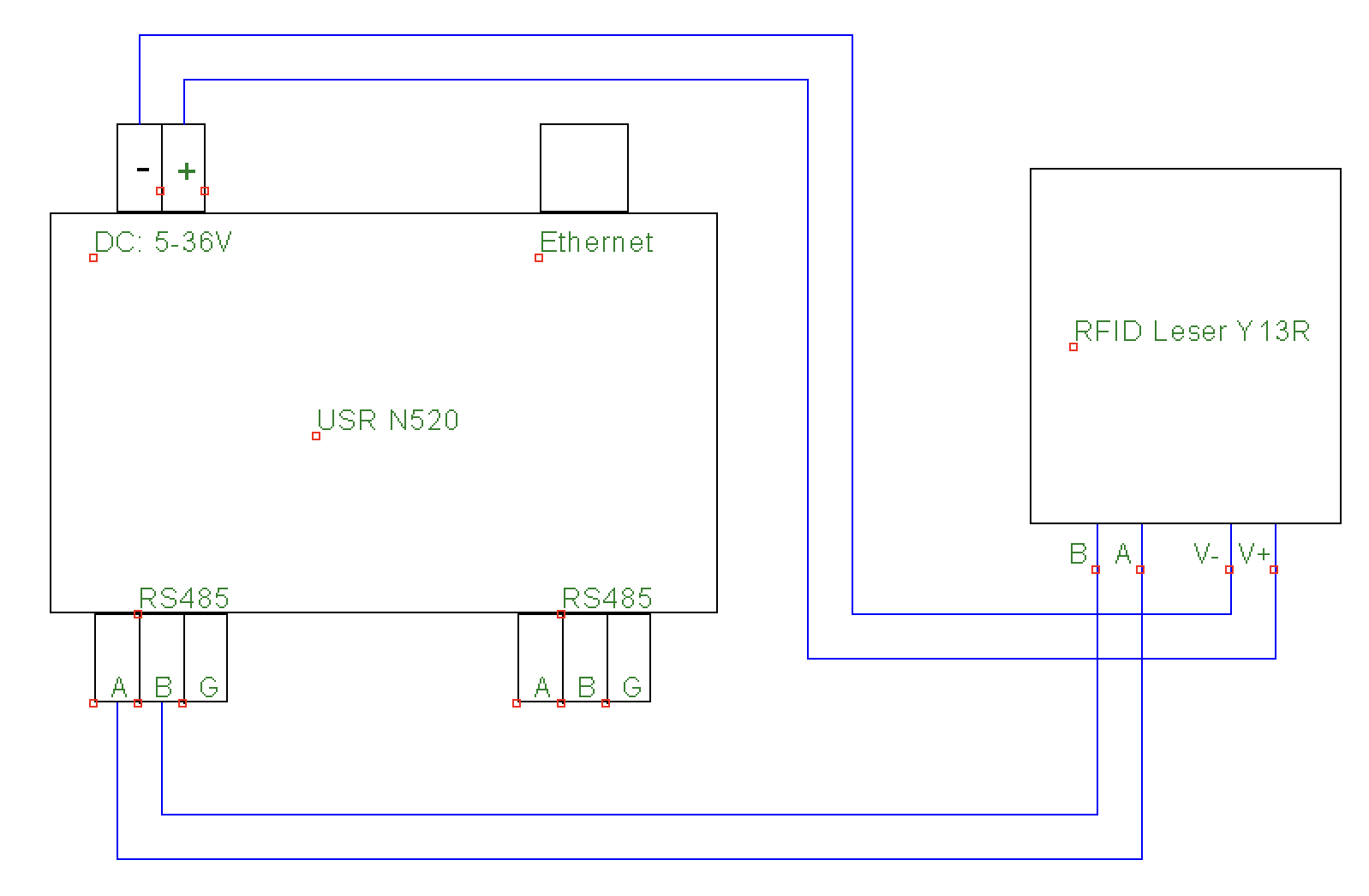](https://wiki.eponet.ch/uploads/images/gallery/2025-05/bildschirmfoto-2025-05-19-um-15-05-40.png)The Y13R readers can also be daisy-chained to connect several in series.
The USR must be configured as follows. 1. Connect to the USR via the IP address. 2. Log in to the USR with the username "admin" and the password "admin". 3. Now configure the USR as shown in the images below for all ports to which you have connected RFID readers. [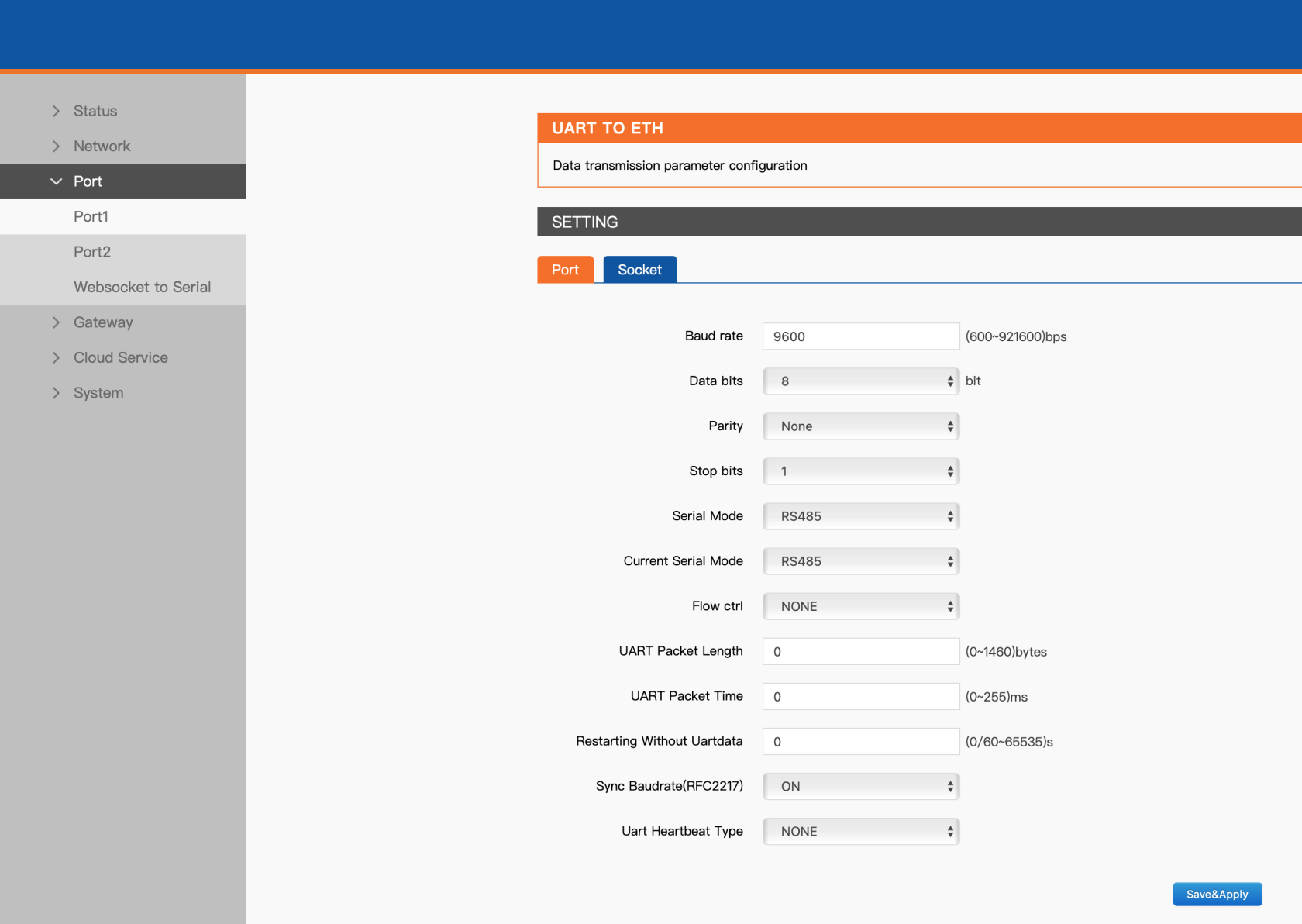](https://wiki.eponet.ch/uploads/images/gallery/2025-05/SEFbildschirmfoto-2025-05-09-um-13-50-14.png) [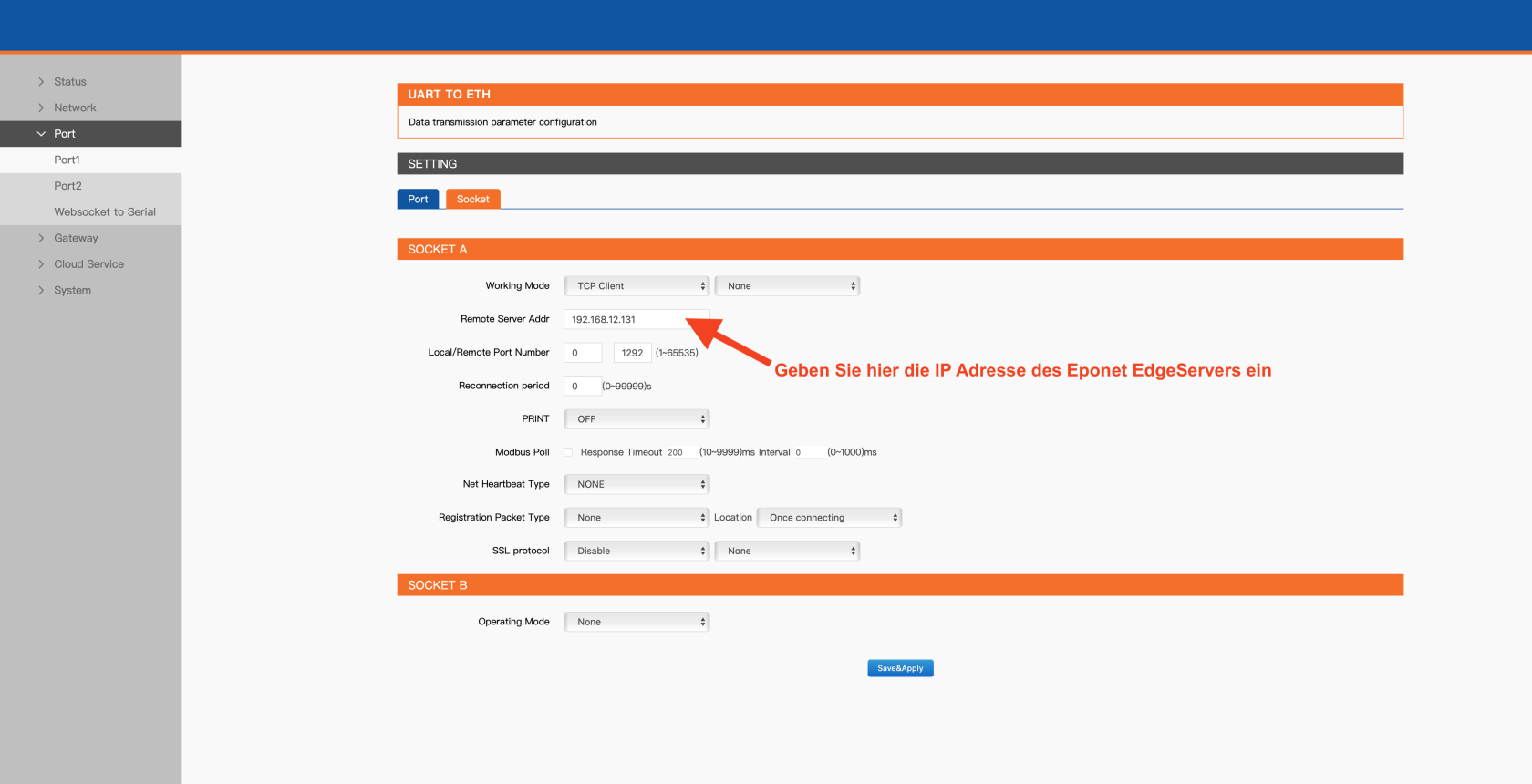](https://wiki.eponet.ch/uploads/images/gallery/2025-05/bildschirmfoto-2025-05-09-um-13-50-36.png) The configuration of the USR is now complete.