Schritt 2 - Objekt Adresse erstellen (Allgemeiner Schritt)
Jede Ladestation muss einer Adresse zugeordnet werden. Wählen Sie im blauen Navigations Balken links den Reiter Gebäude und fügen ein Objekt hinzu. Sie können hier die Strukturen frei gestalten (drag & drop). Eine ideale Struktur ist, wenn die Ladestation einem Parkplatz zugeordnet wird. Sie können zu jedem Objekt auch Fotos, Notizen und Dateien mit ablegen.
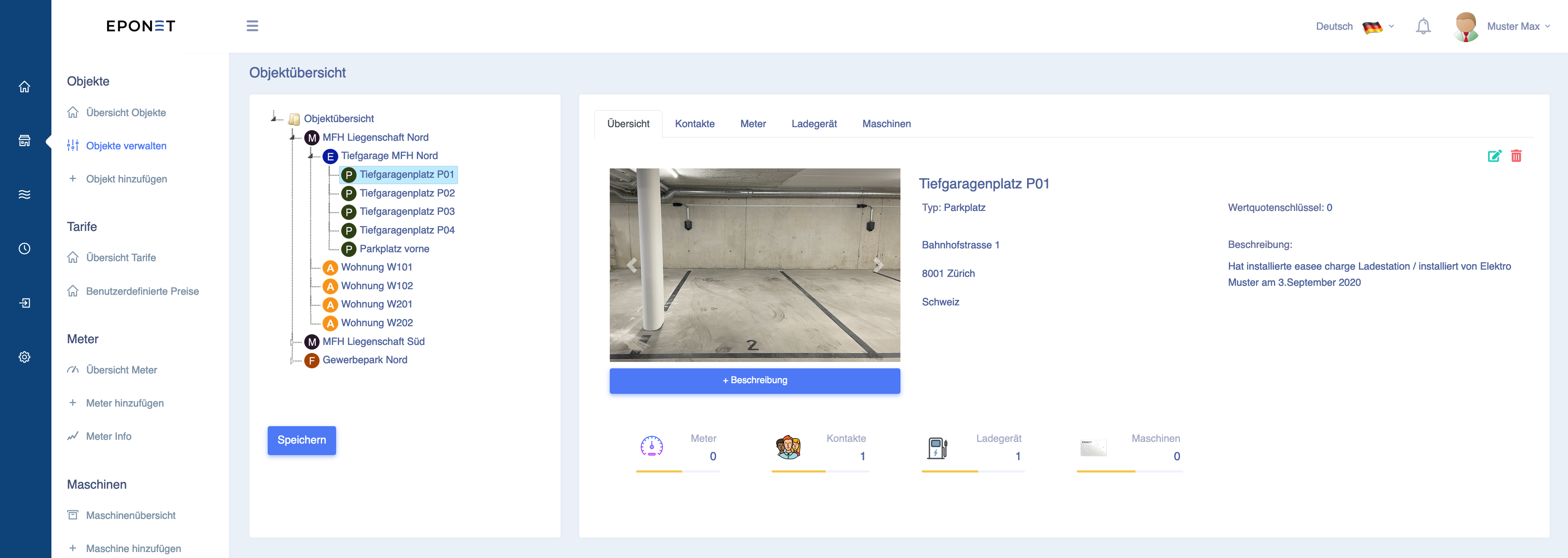
Tipp: Erstellte Objekte können einfach per "drag & drop" sortiert oder verschoben werden. Ziehen Sie zum Beispiel den erstellten "Tiefgaragenplatz P01" unter das Objekt "Tiefgarage MFH Nord"