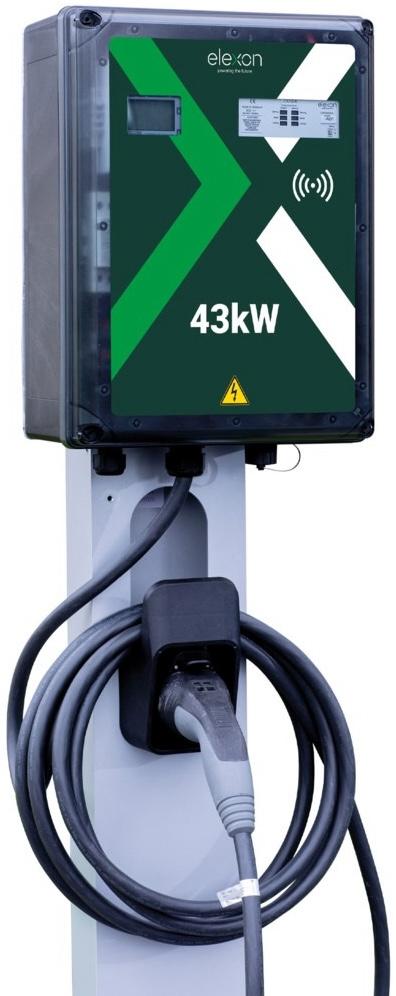
Integration Elexon AC43 Ladestation ins Eponet Portal
Diese Anleitung ist der Schritt 3 für die Aufschaltung einer Autel AC Ladestation ins Eponet Portal.
Schritt 1 finden Sie unter diesem Link: Grundanleitung Integration Ladestationen
|
|
Das Passwort und der Benutzername sollten nicht geändert werden, da ein Einloggen nach dem Verlust nicht mehr möglich ist.
|
Ladestation via Weboberfläche konfigurieren
Geben Sie die IP-Adresse der Ladestation in die Adresszeile Ihres Browsers ein.
Nun können Sie sich auf die Ladestation einloggen.
Standardlogin:
Benutzername: root
Passwort: admin
Nun öffnet sich folgendes Fenster, in welchem Sie alles wie auf dem Bild zu sehen, einstellen.
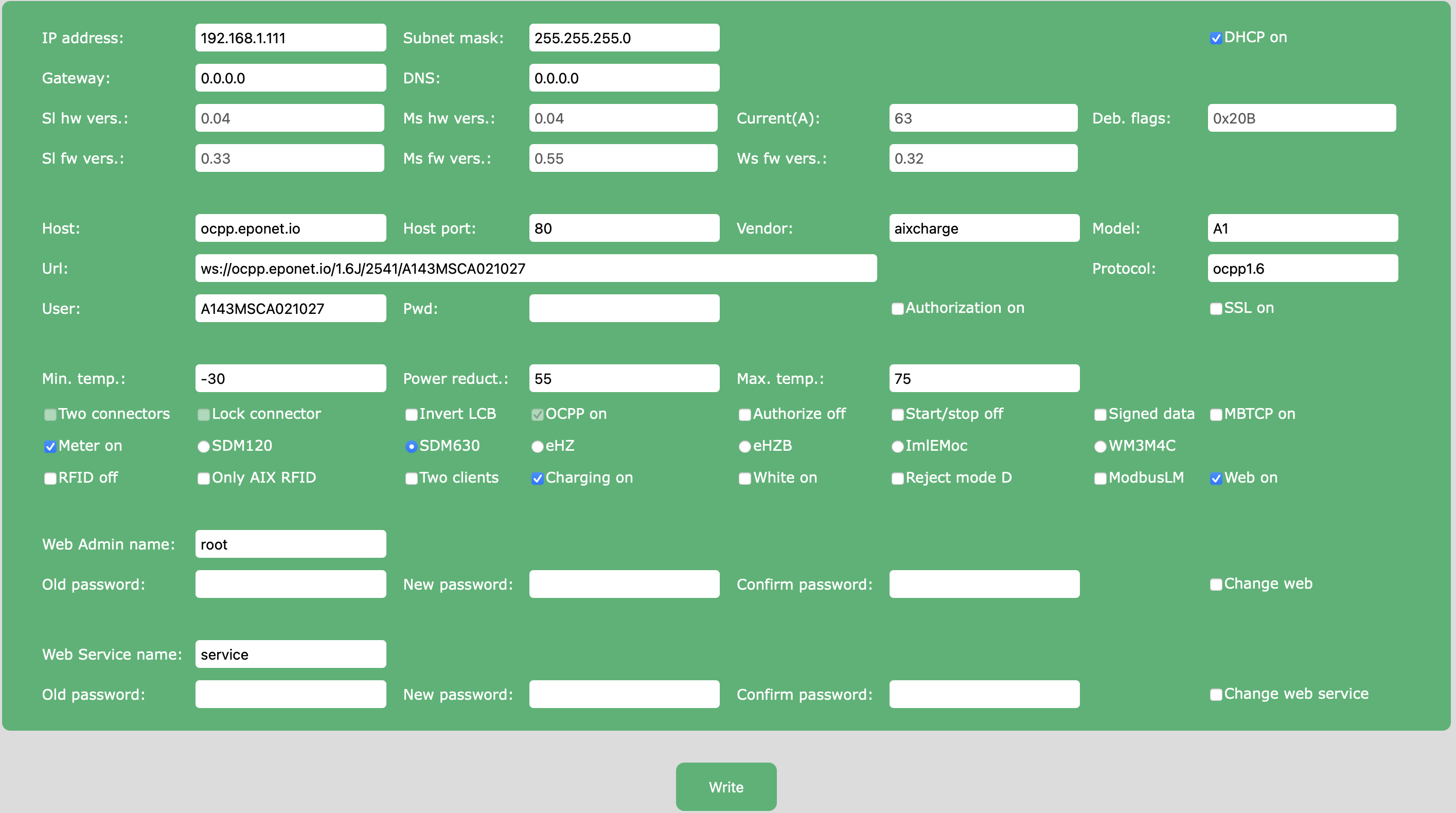
OCPP-Link: ws://ocpp.eponet.io/1.6J/2541/"Seriennummer"
Die Seriennummer ist auf der Ladestation zu finden oder kann unter dem Punkt "User" aus der Weboberfläche entnommen werden.
Checkliste:
-
Software kontrolliert / neuester Stand?
-
Internet konfiguriert / online?
-
OCPP Server: Eponet Link ausgewählt und Ladestation Online auf dem Eponet Portal?
Bitte stellen Sie sicher, dass Konfiguration korrekt eingestellt ist. Bitte beachten Sie, Eponet ist nicht verantwortlich, wenn die Ladestation falsch konfiguriert und zum Beispiel offline Laden erlaubt ist und dadurch keine korrekte Abrechnung im Eponet Portal erfolgt.