**Bitte beachten Sie:** Dieser Vorgang löscht alle Ihre Daten endgültig und kann nicht rückgängig gemacht werden. Wenn Sie ein positives Guthaben haben, empfehlen wir Ihnen, Ihr Guthaben abzuheben, bevor Sie Ihr Konto löschen. Falls Sie weitere Daten aus Ihrem Konto, z.B. Quittungen von Ladungen, Auswertungen oder weitere Angaben weiterhin benötigen, laden Sie diese vor der Löschung Ihres Kontos auf Ihren Datenträger. Nach der Löschung können Sie nicht mehr auf Ihre Daten, das Guthaben zugreifen oder es abheben. Sie müssen zur Bestätigung der Löschung Ihre E-Mail Adresse eingeben.
#### Vorgehen um Ihr Konto zu löschen Loggen Sie sich in Ihr Konto ein und gehen Sie auf der linken, blauen Seite auf Einstellungen. Wählen Sie dann in Ihrem Konto den Reiter "Einstellungen" aus. Klicken Sie auf den Haken "Lösche mein Konto" [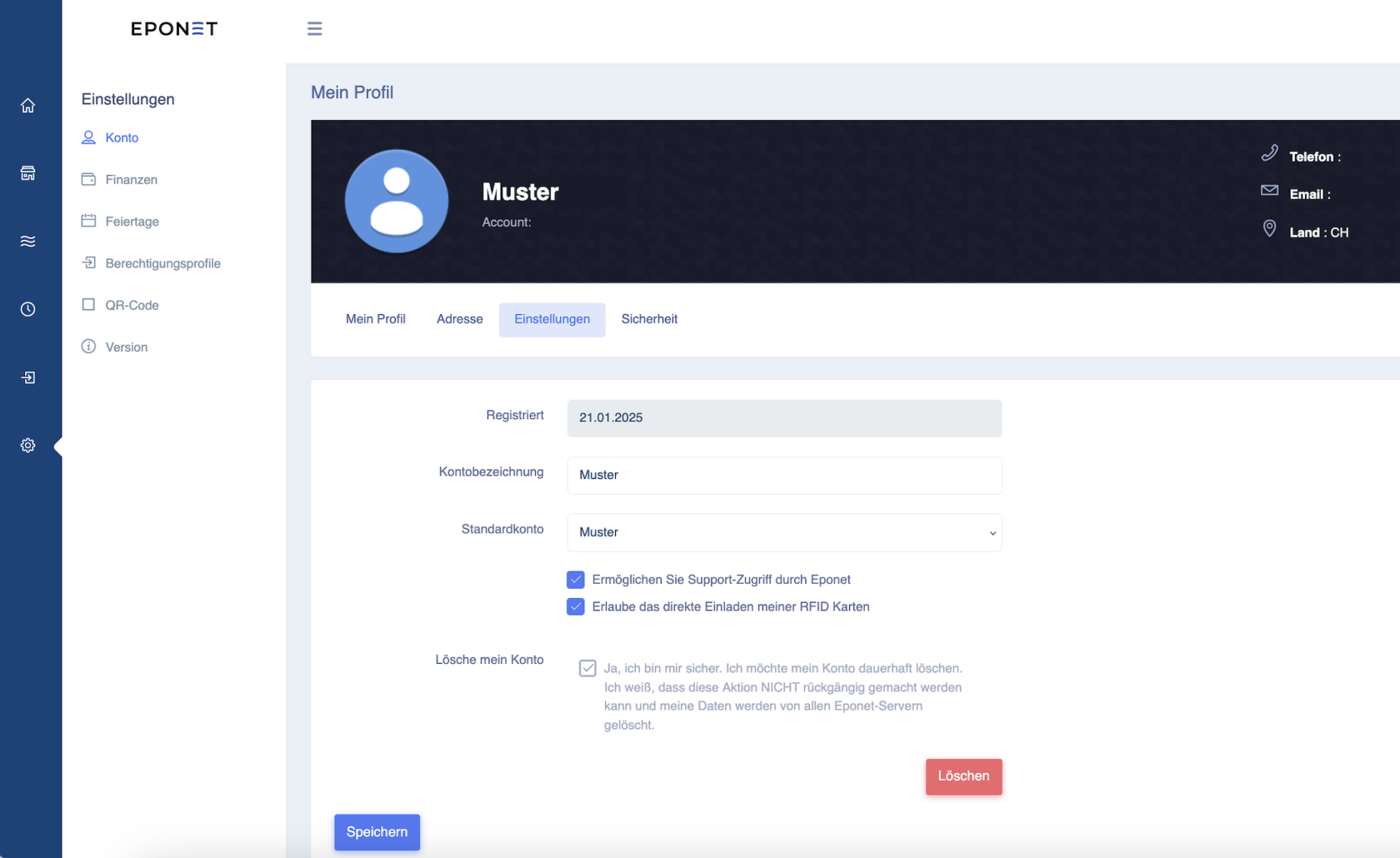](https://wiki.eponet.ch/uploads/images/gallery/2025-01/wY9grafik.png) Klicken Sie nun auf den roten Knopf Löschen und bestätigen Sie die Sicherheits-Abfrage: [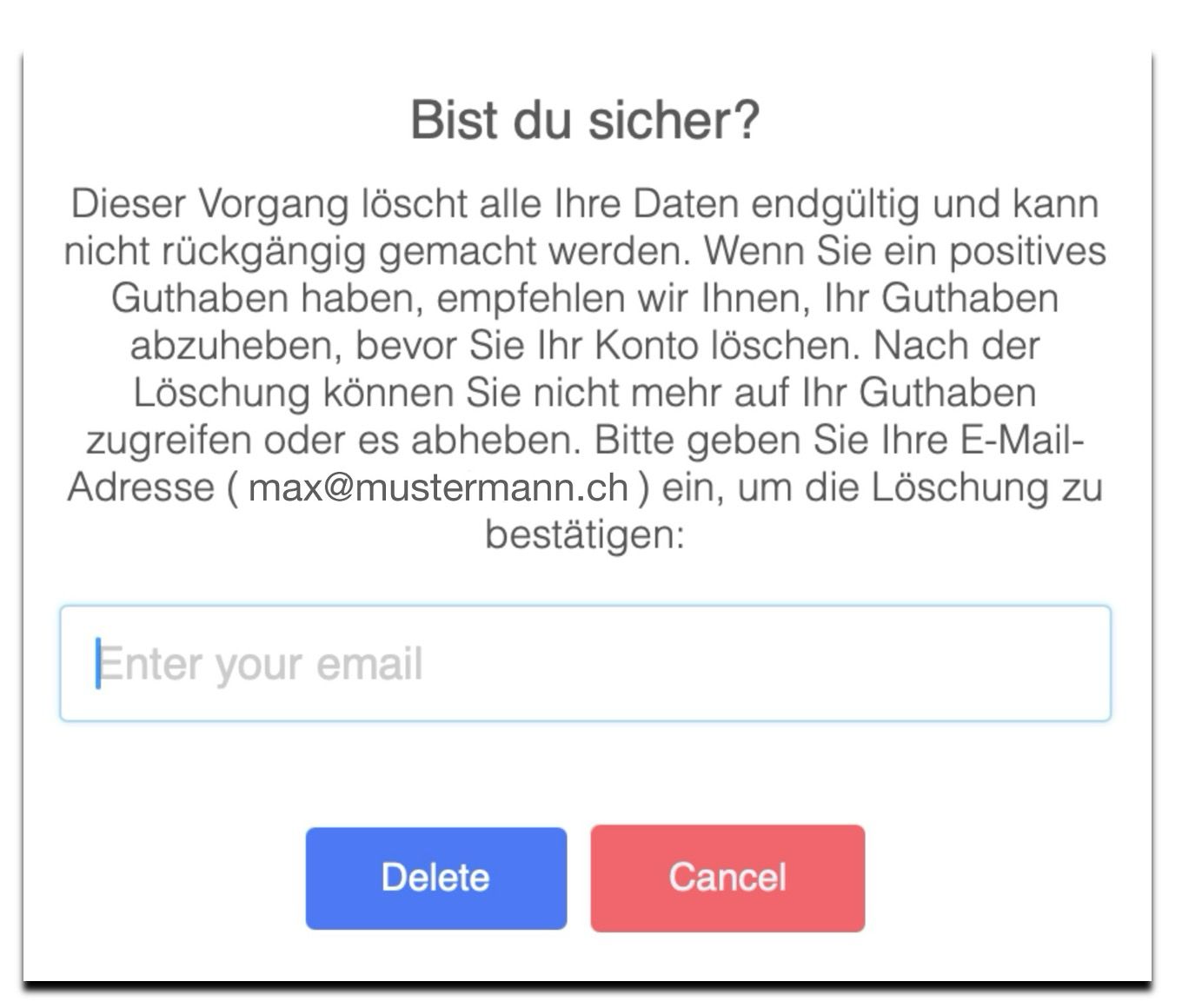](https://wiki.eponet.ch/uploads/images/gallery/2025-05/yUxgrafik.png) Nach der Eingabe der E-Mail Adresse und drücken der Delete Taste ist das Konto gelöscht.